
Building the tools behind a more personal shopping experience.
A product quiz involves more than writing questions. Merchants need to shape a flow, connect answers to products, make the experience fit their store, and understand what happens after publication. AskFlow brings these tasks together with AI shopping assistance. I worked as a co-designer on new app features within the shared product and also designed its marketing website.
Product
Two sides of the same experience
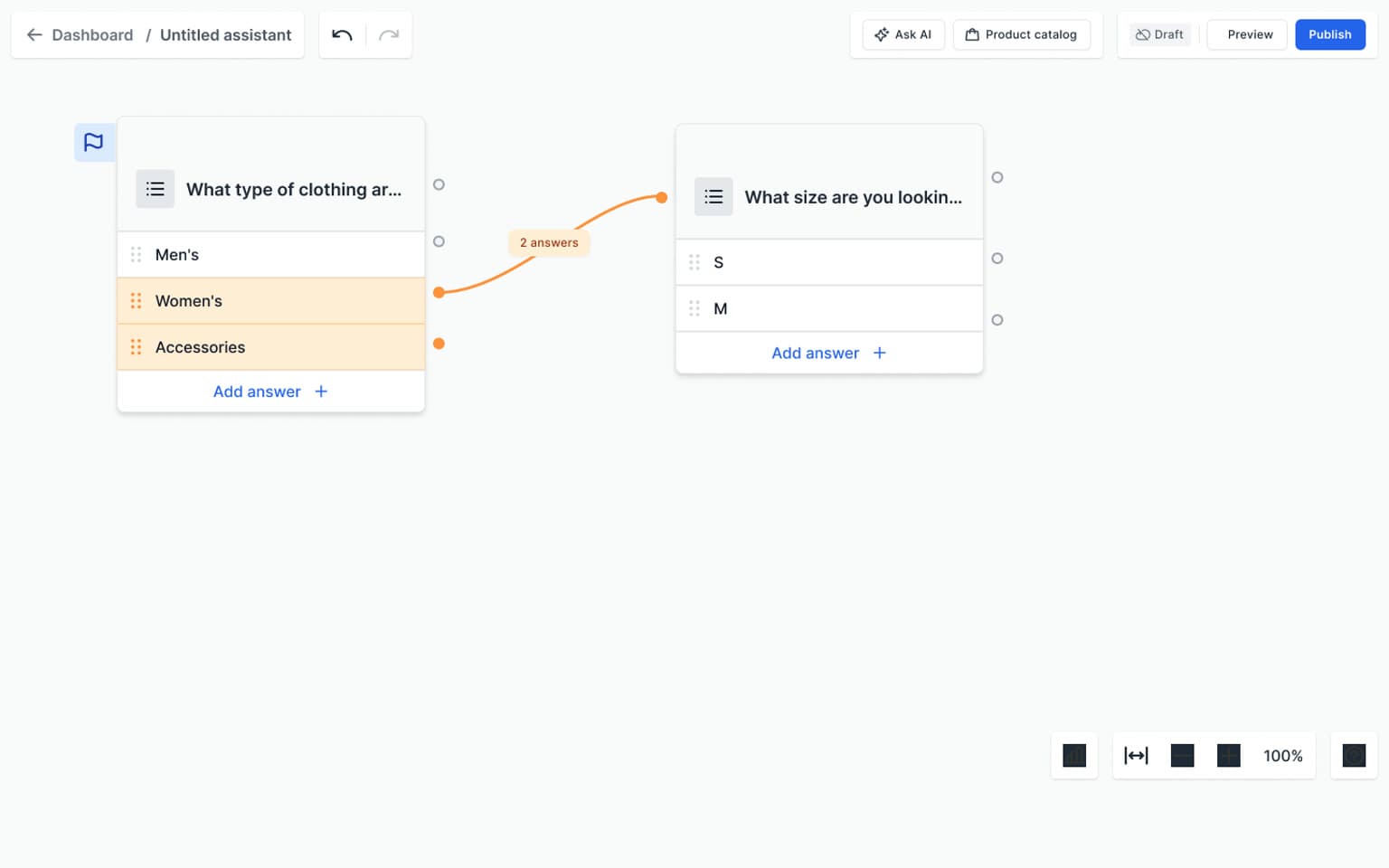
The merchant works with a map of questions, rules, and result steps. The shopper sees a focused sequence of choices and recommendations. Showing both sides makes the app easier to understand: the editor defines the experience, while the storefront turns that configuration into an interaction.
Merchant
Build the route
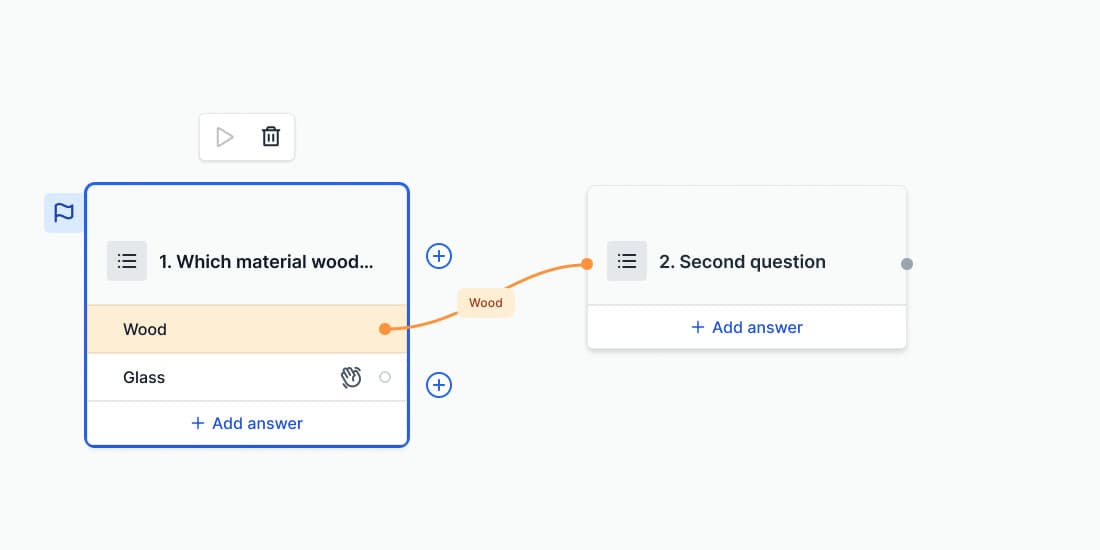
Connected cards describe the questions and destinations within a quiz.
Shopper
Answer one question at a time
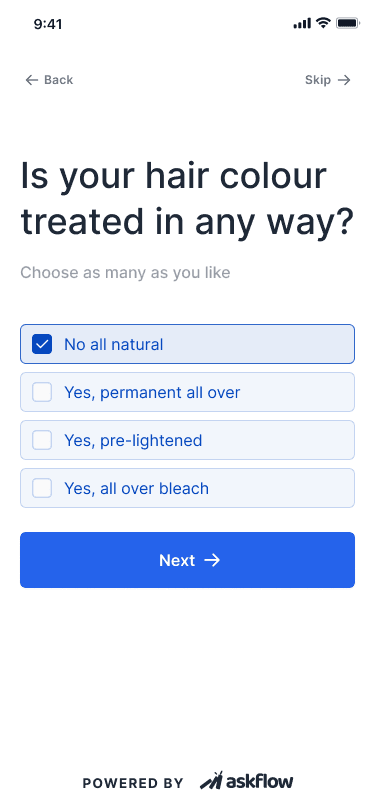
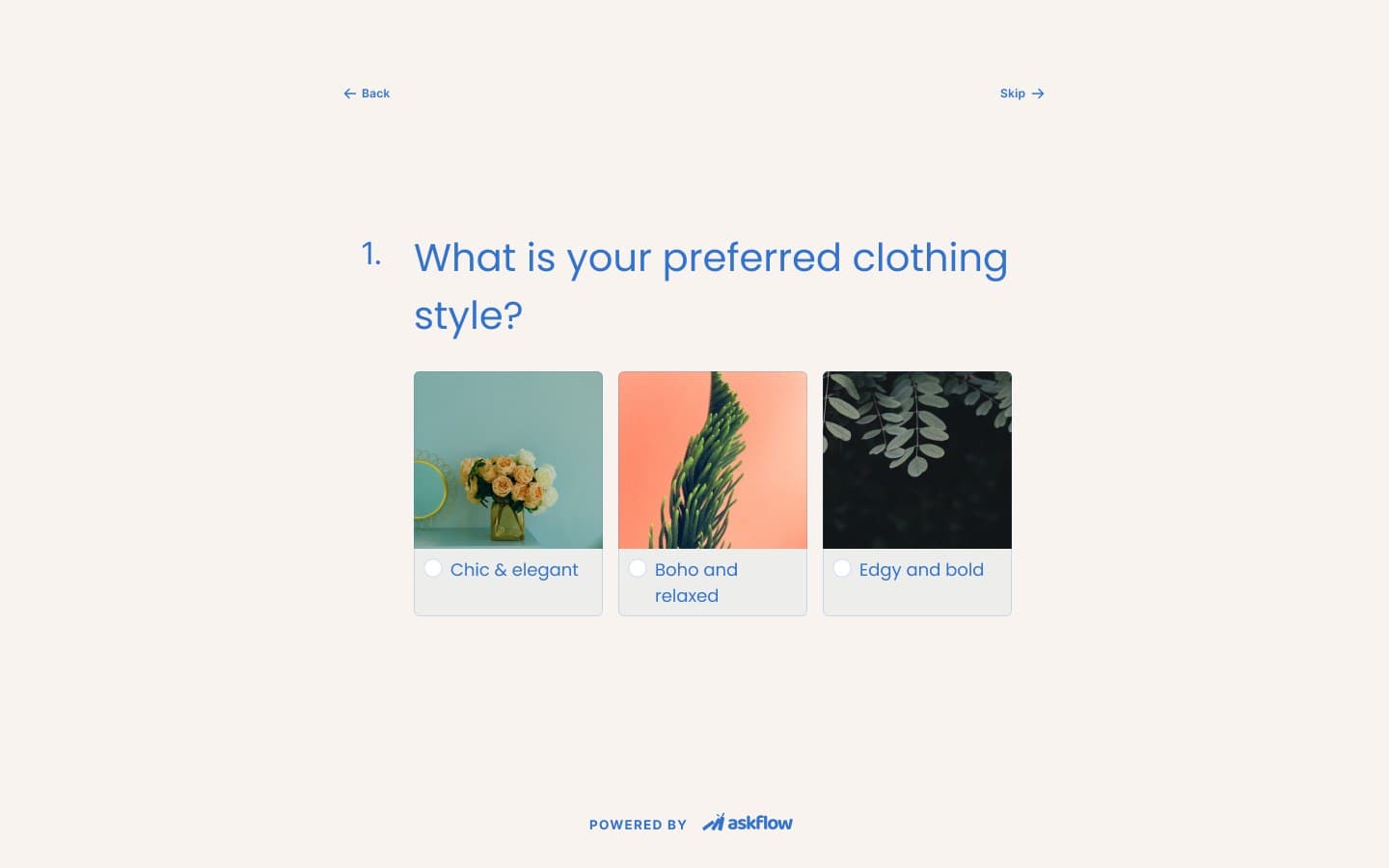
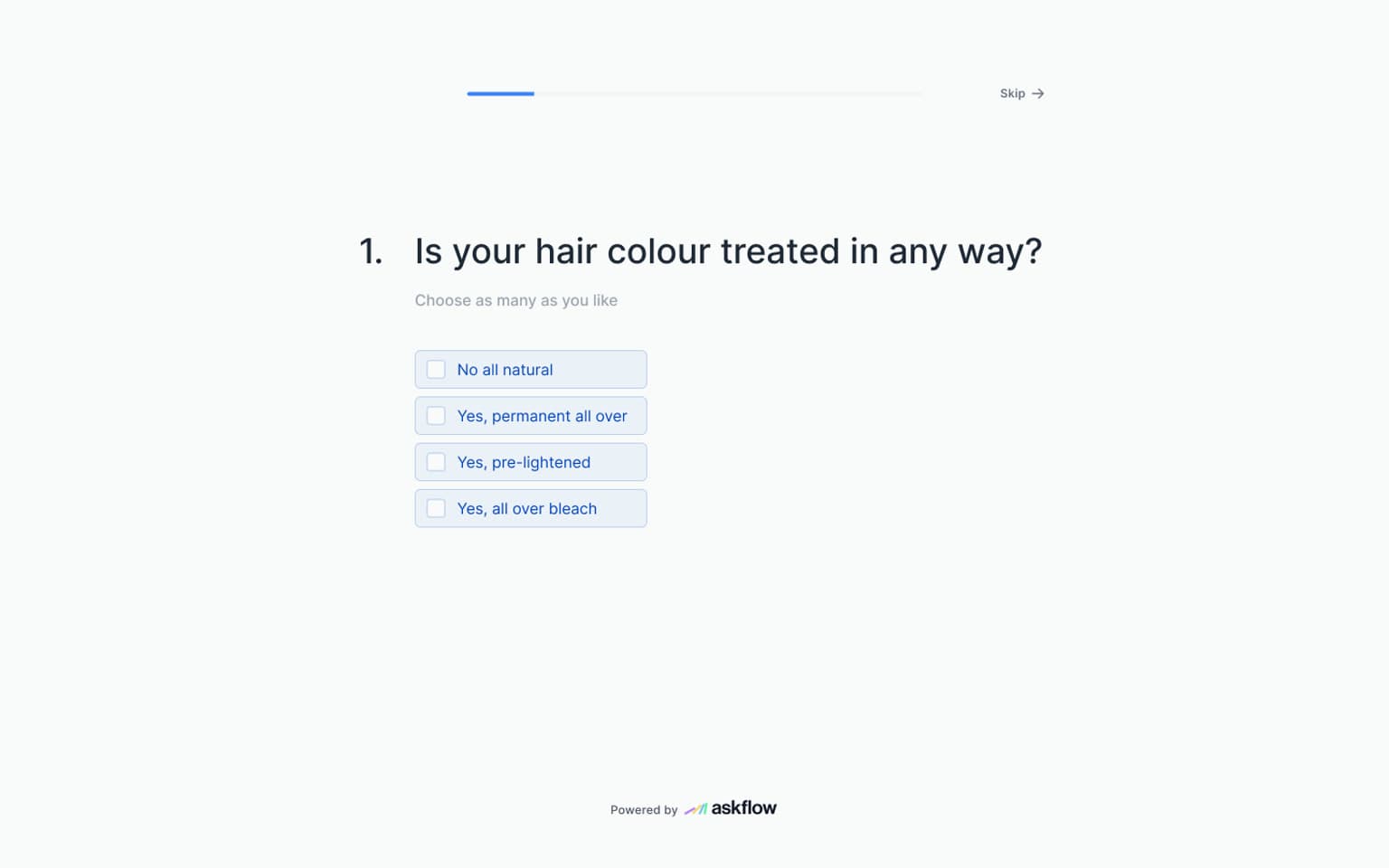
Choice and image-question examples show how that structure becomes a smaller, focused interface.
Website
Introducing the product through its interface
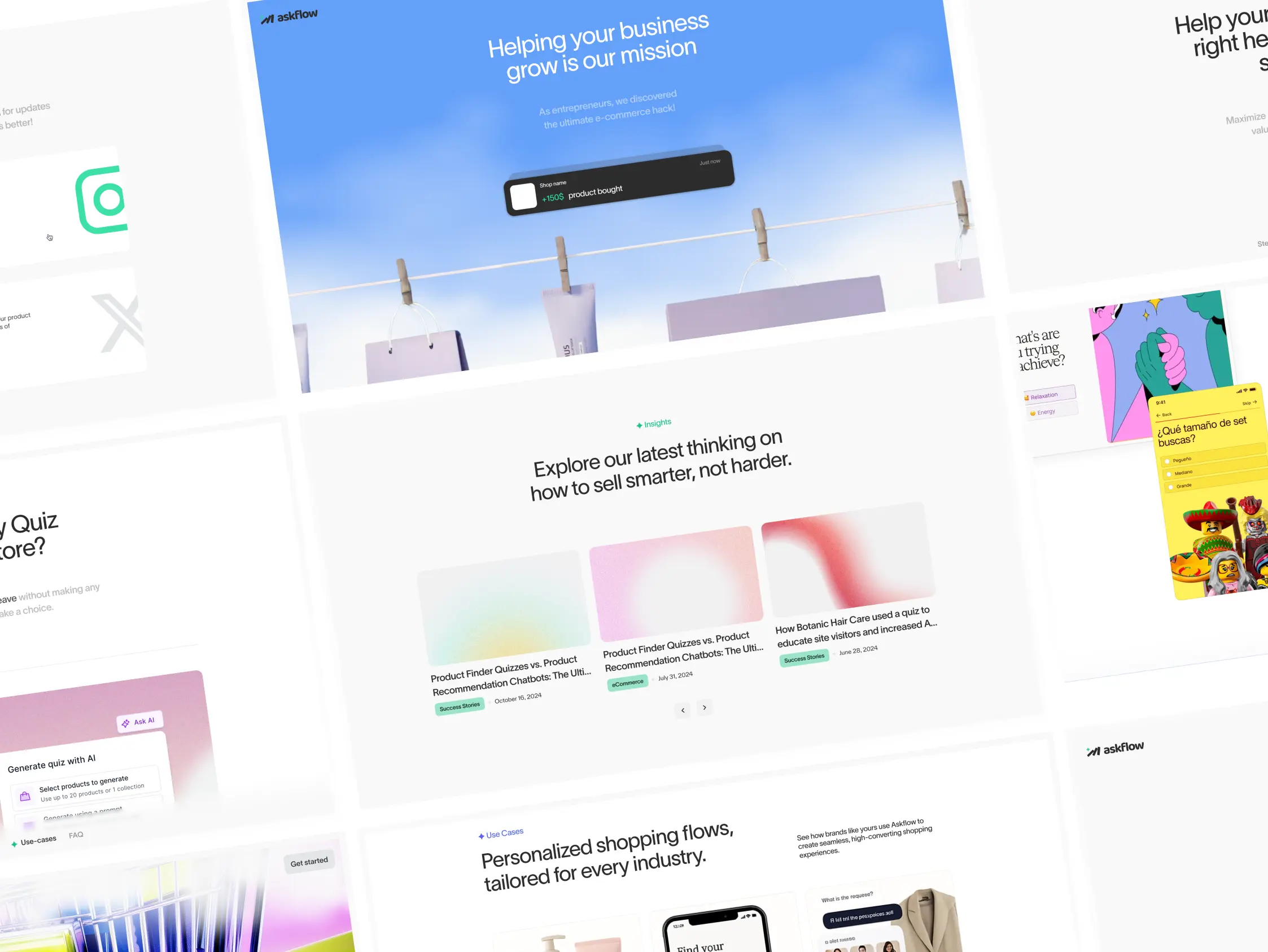
I designed the marketing website to explain product quizzes and AI shopping assistance through interface examples, clear product sections, and calls to action. The visual language carries across desktop and mobile.


Setup
Connecting the store before building the experience
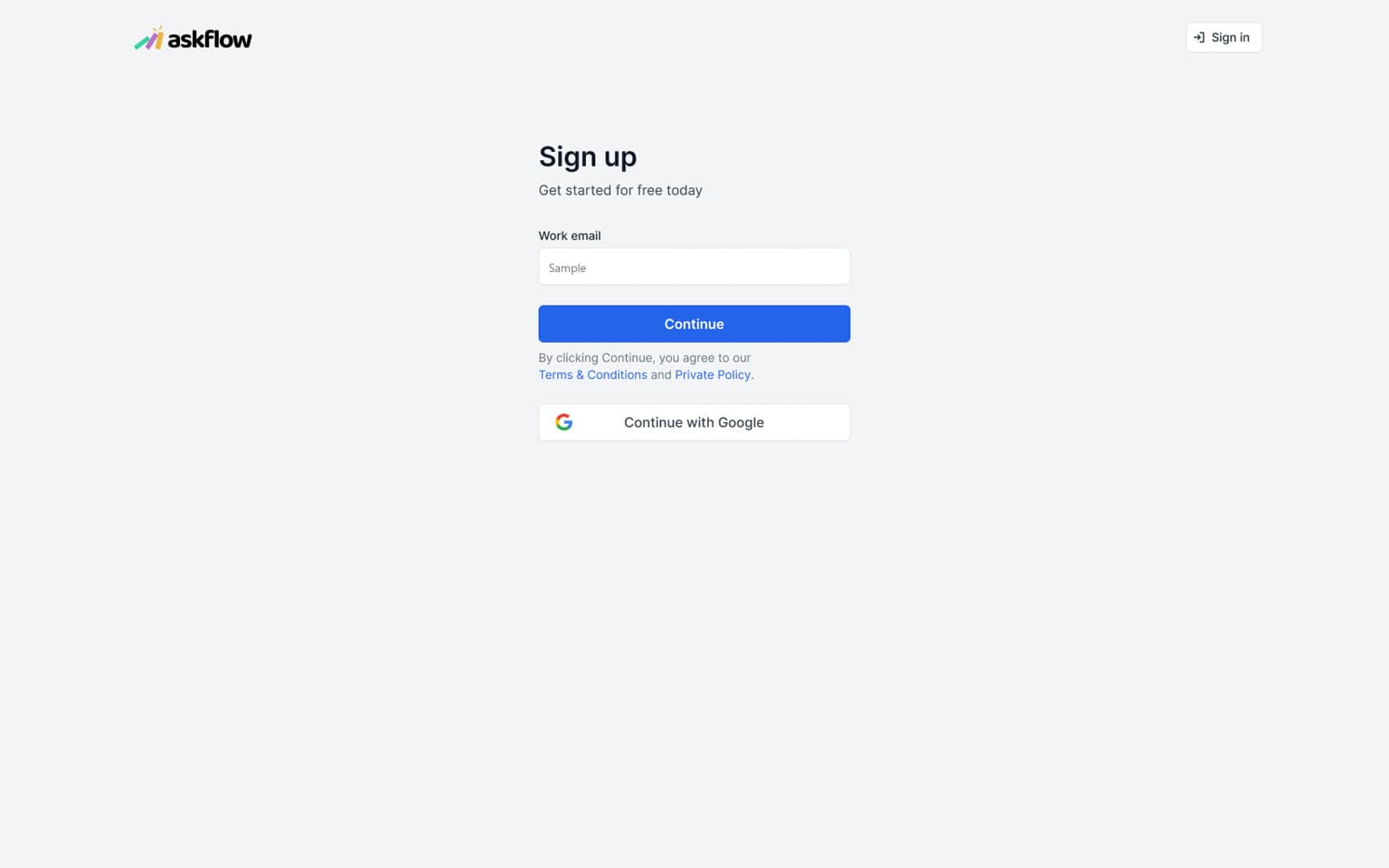
Setup covers account creation, platform choice, store connection, and catalogue preparation. These stages give the merchant a route into the workspace before they begin configuring a quiz or assistant. The catalogue step closes setup and hands the merchant over to product creation.
Workspace
Keeping the surrounding product in view
The workspace brings quizzes, AI chats, integrations, and reporting into a shared navigation structure. Project switching, preferences, and team permissions support the work around the editor. Quiz status and workspace actions give the merchant a way back into existing experiences.
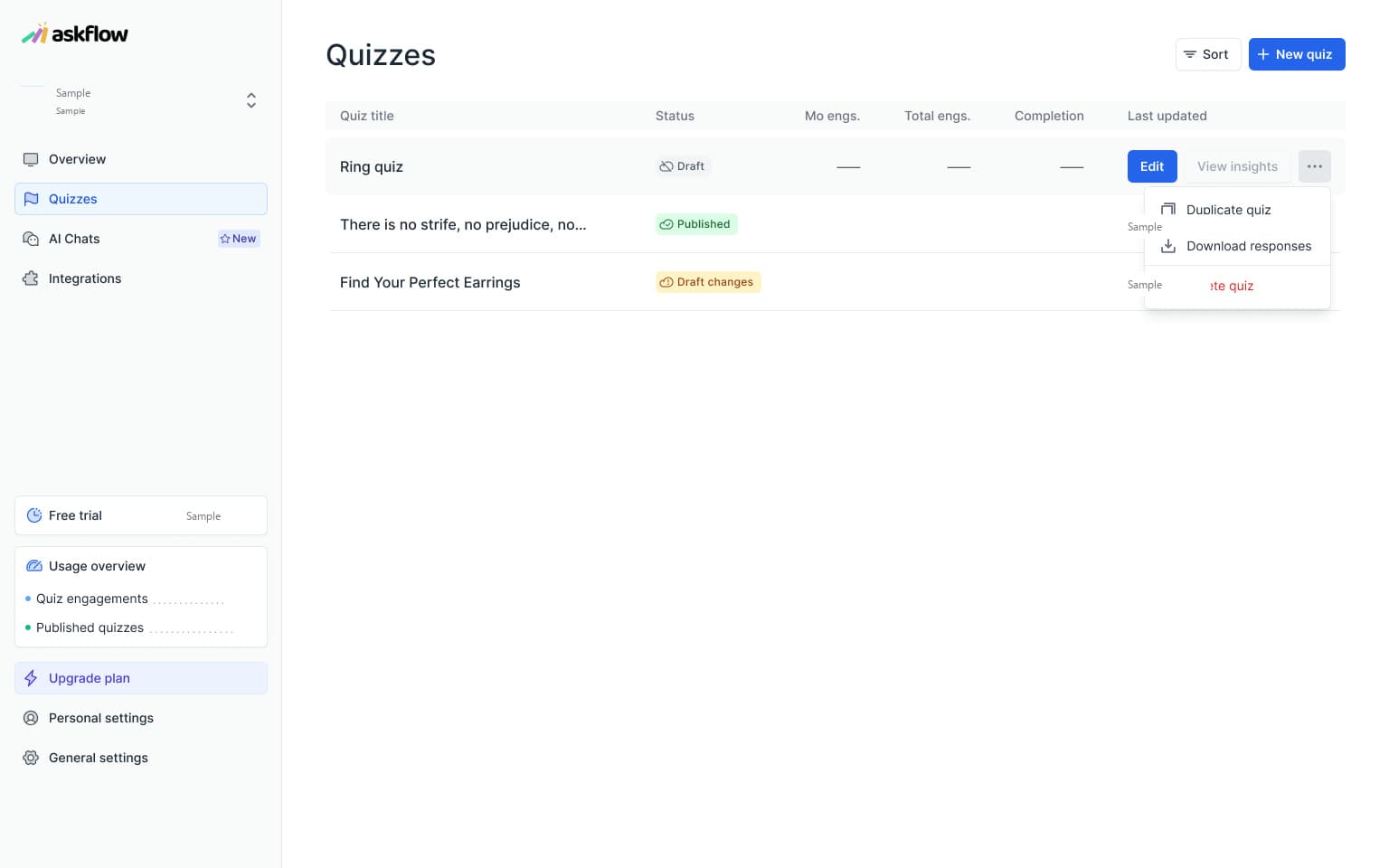
Create
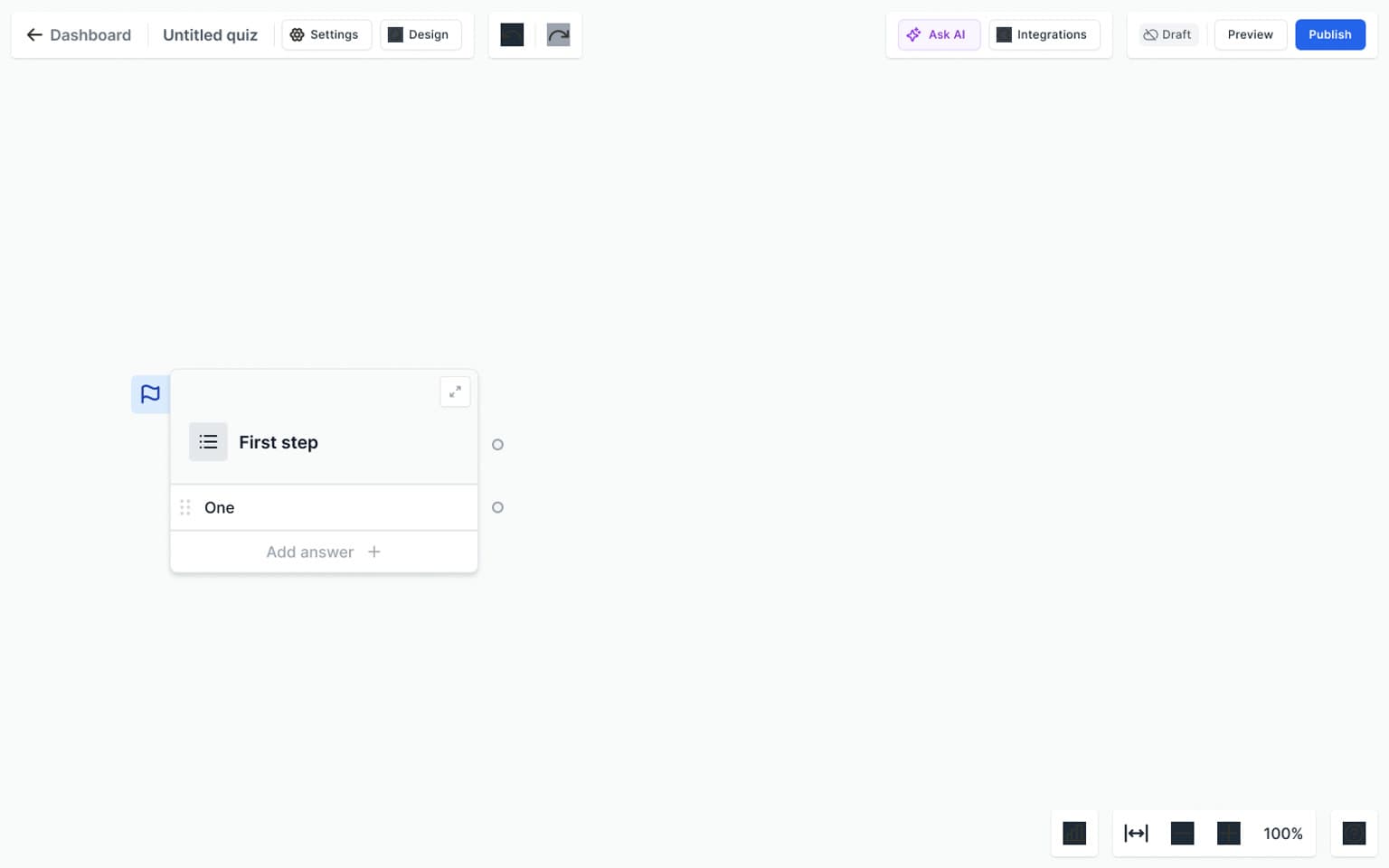
Starting with a prompt or a blank canvas
Merchants can begin with a first question or describe the quiz they want to create. The AI-generation flow separates entering a prompt from reviewing a generated structure. The visual canvas then becomes the place to continue editing, rather than treating the initial generation as a finished quiz.
Canvas
Making relationships editable
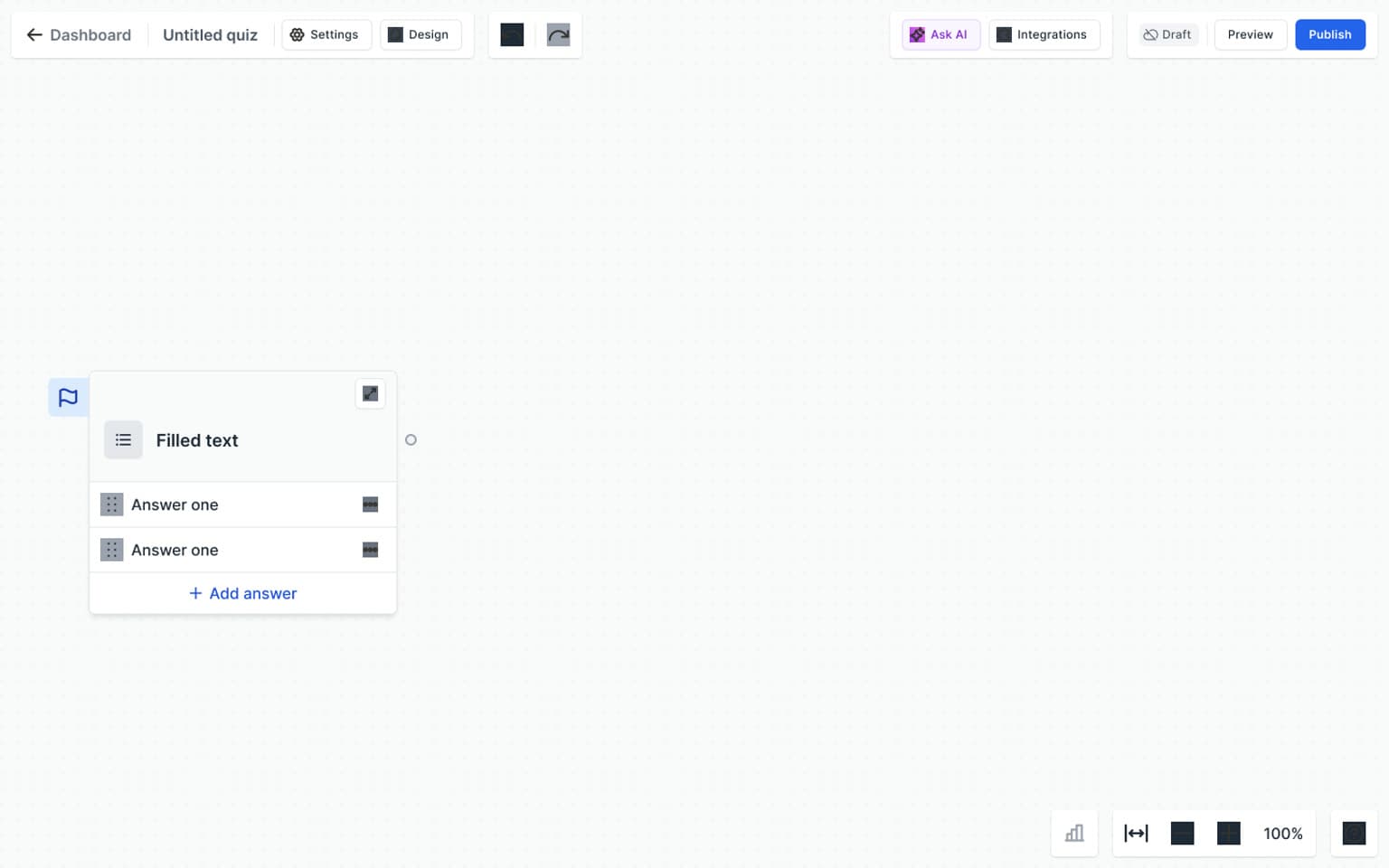
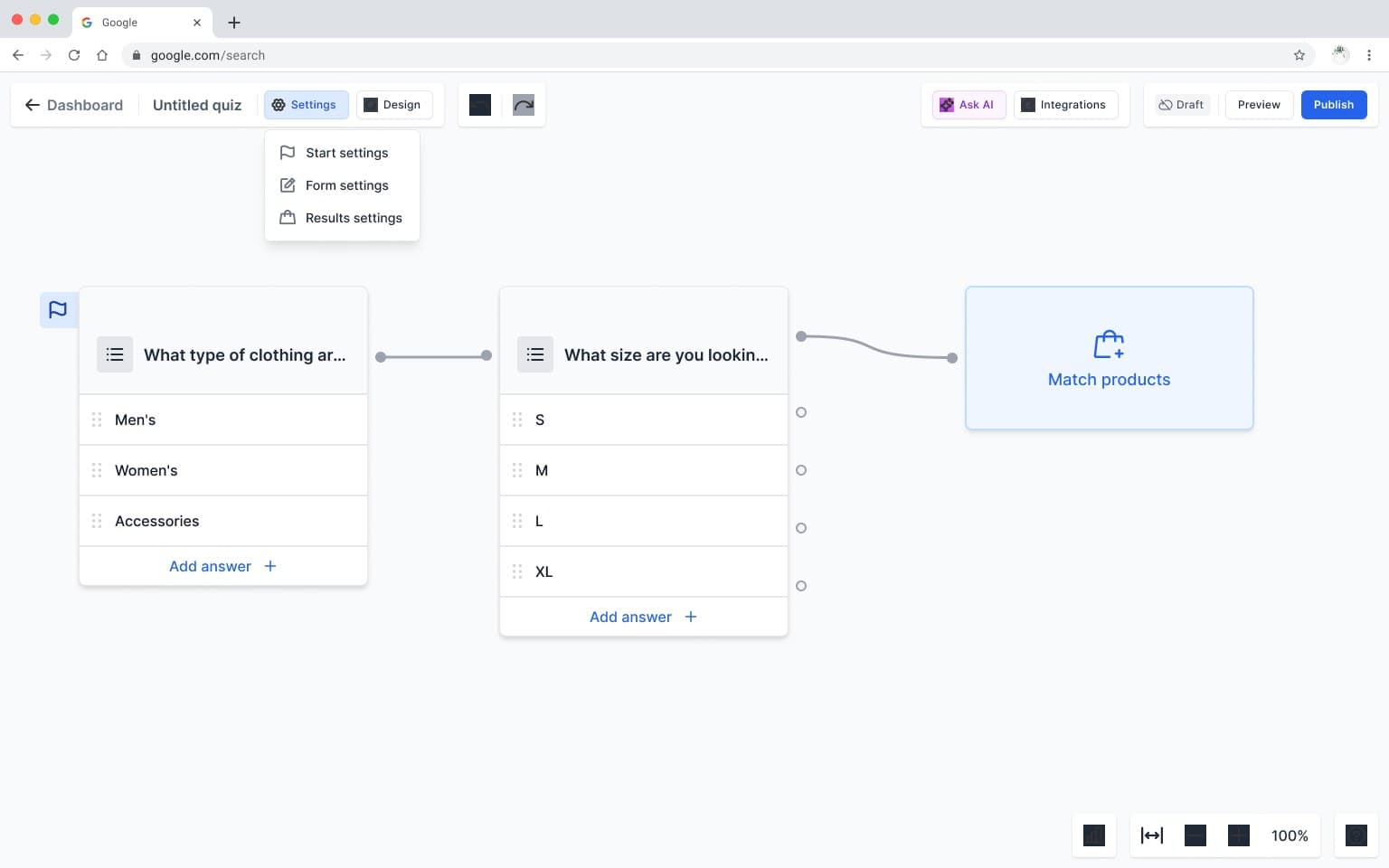
Questions and answers appear as cards with visible connection points. Branching can direct different answers to different destinations; grouped answers can share a route. Editing also includes smaller operations such as duplicating an answer and reconnecting a broken path. These interaction states explain how the map is intended to be used, beyond its appearance in a finished screenshot.
Questions
Moving between structure and detail
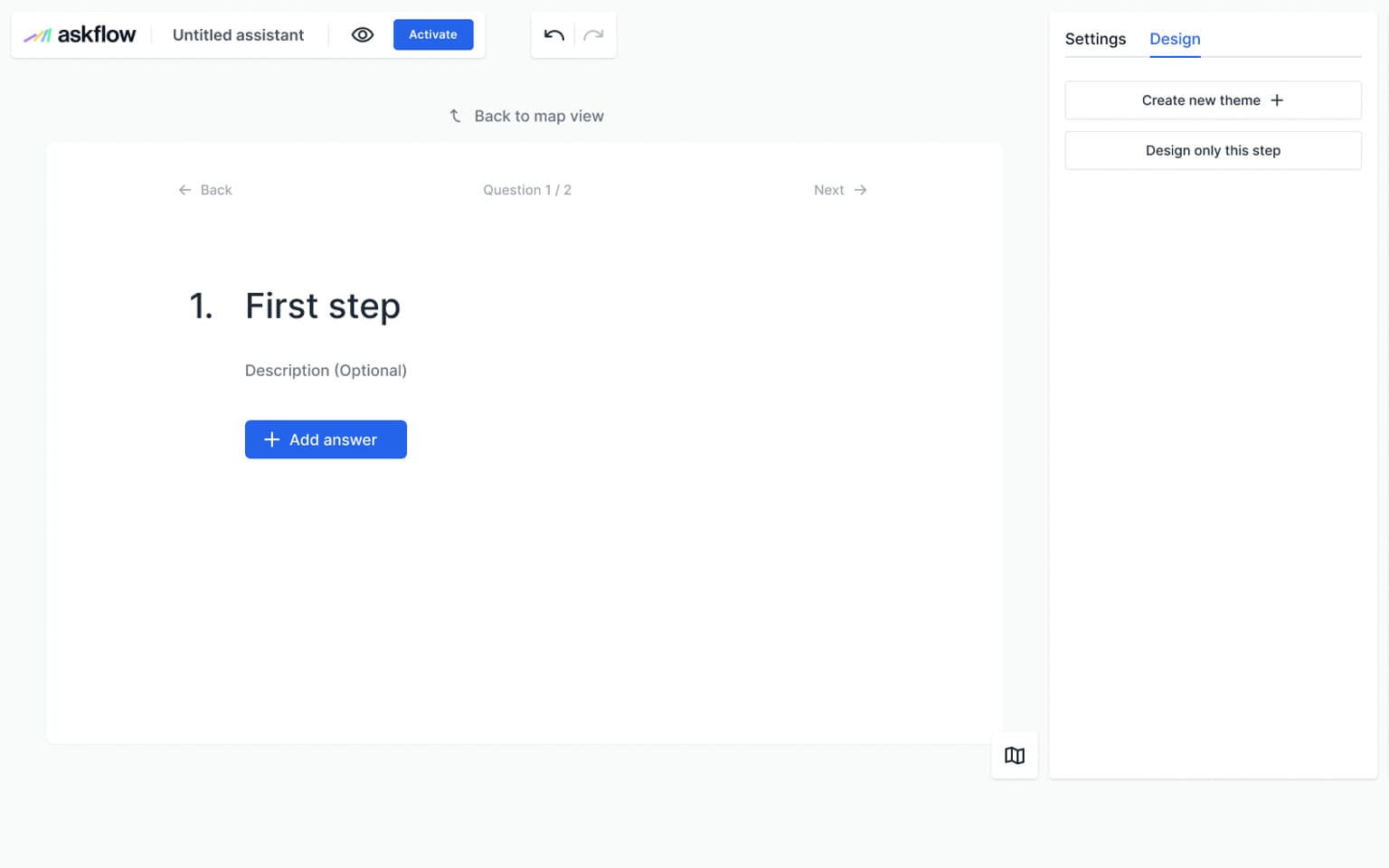
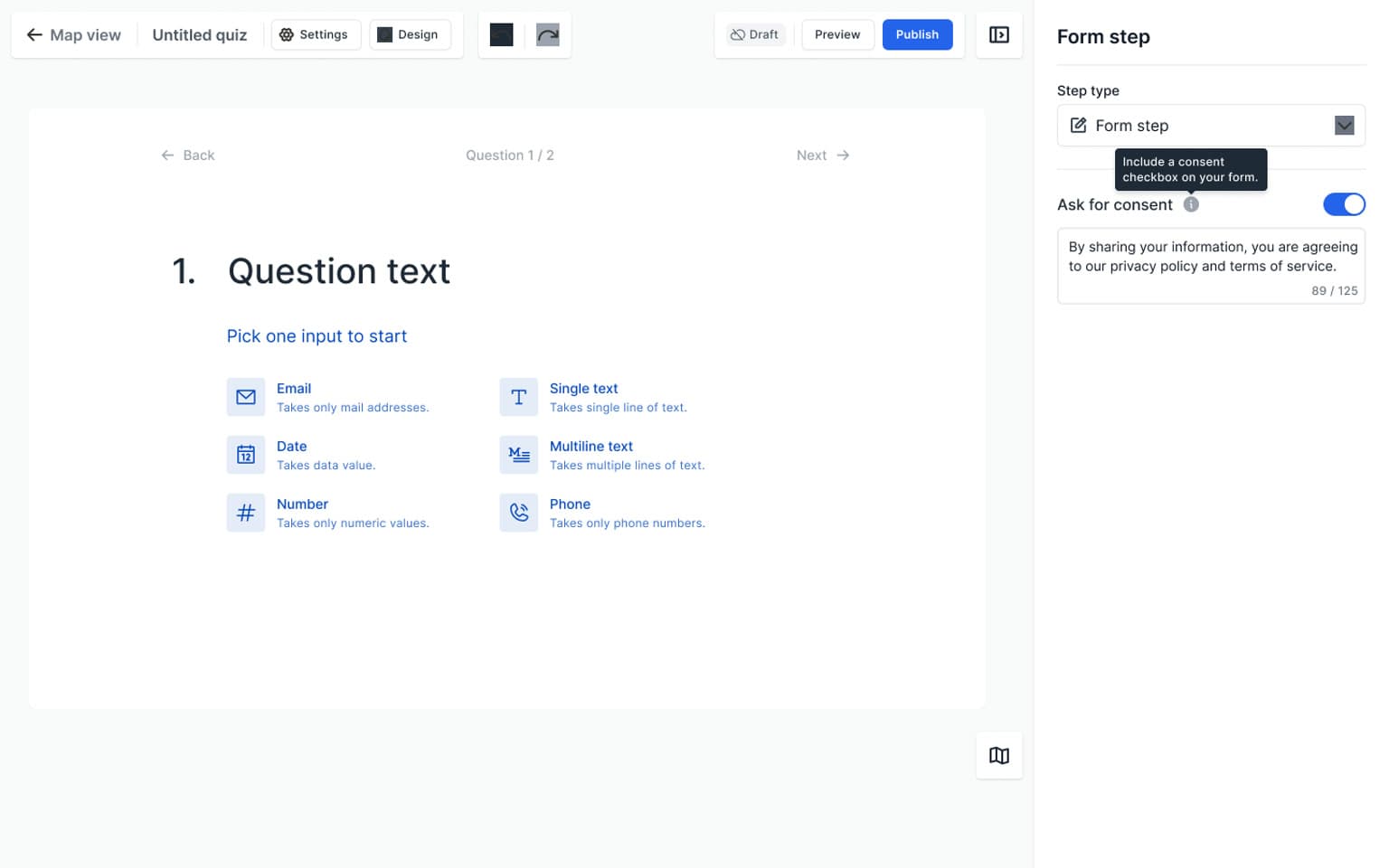
The map describes the overall route; the detailed editor handles the content within a step. Text choices, image choices, and forms use a preview alongside their settings. The image-step examples show answer imagery and layouts, while form editing provides input and consent controls.
Logic
Giving different answers different routes
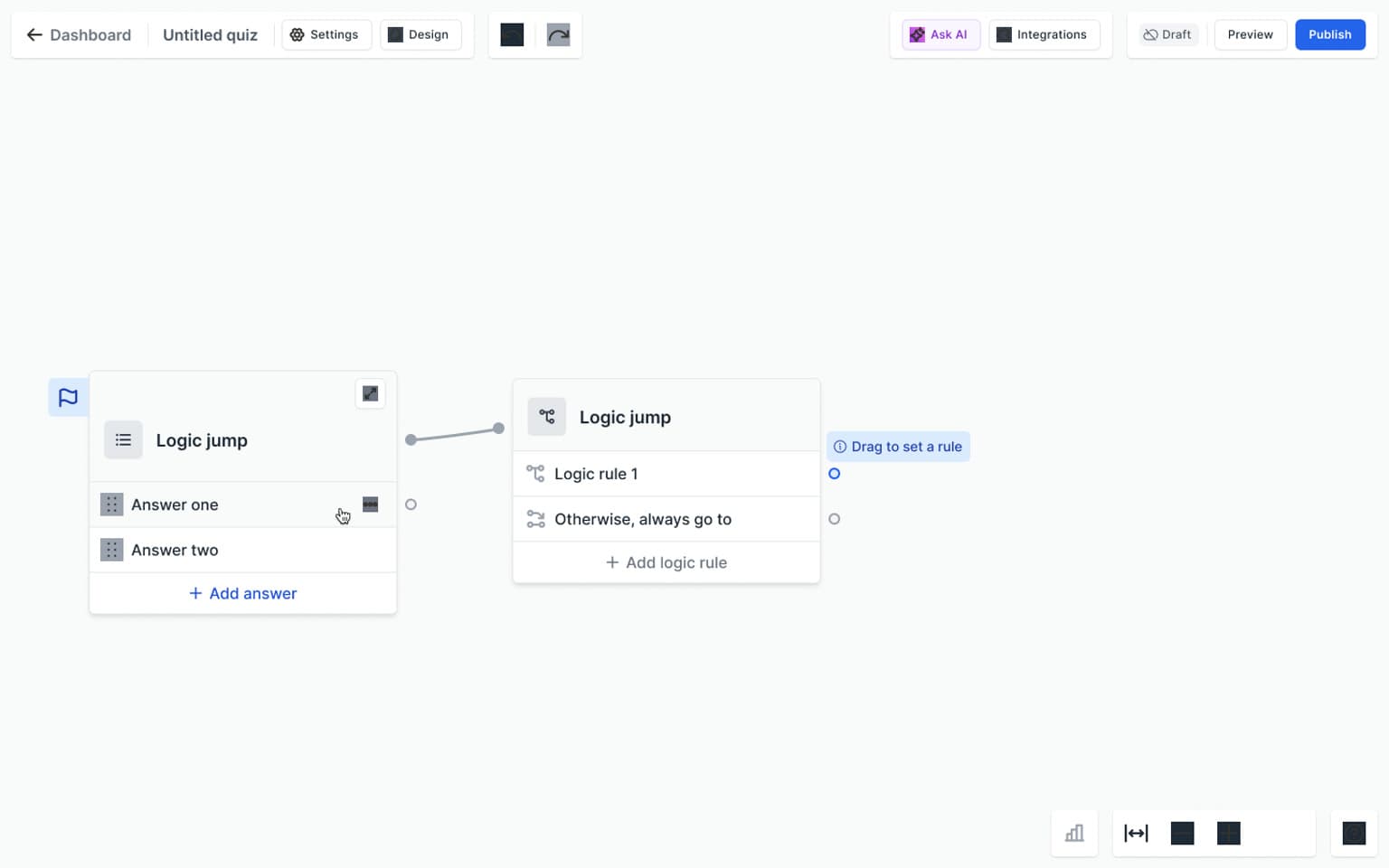
Logic jumps add conditional routing to the map. The canvas shows where a condition belongs, while the rule dialog provides a focused configuration view. Keeping the route and its rule available as separate views lets the case explain both the structure and the controls that define it.
Catalogue
Matching the flow to products and variants
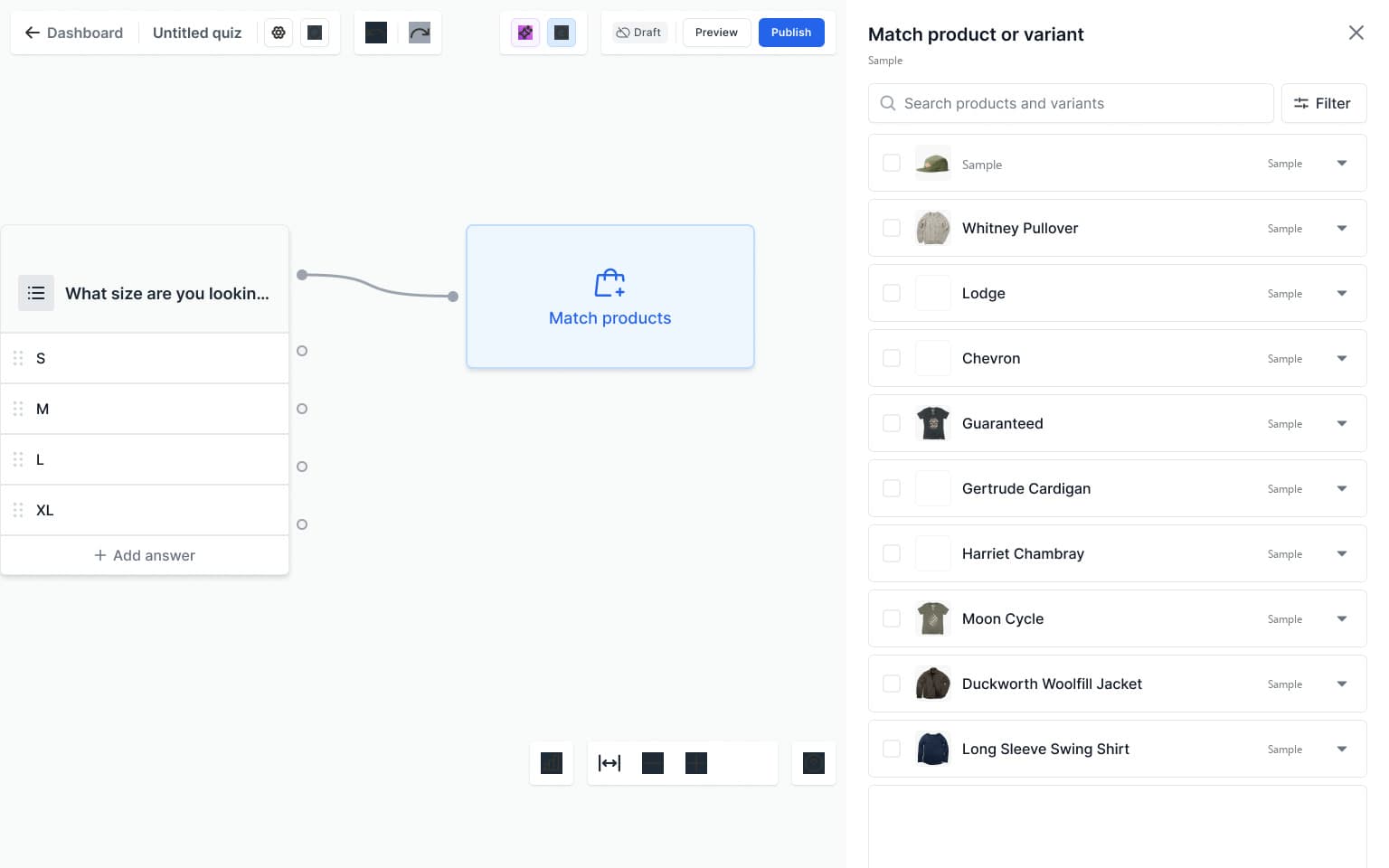
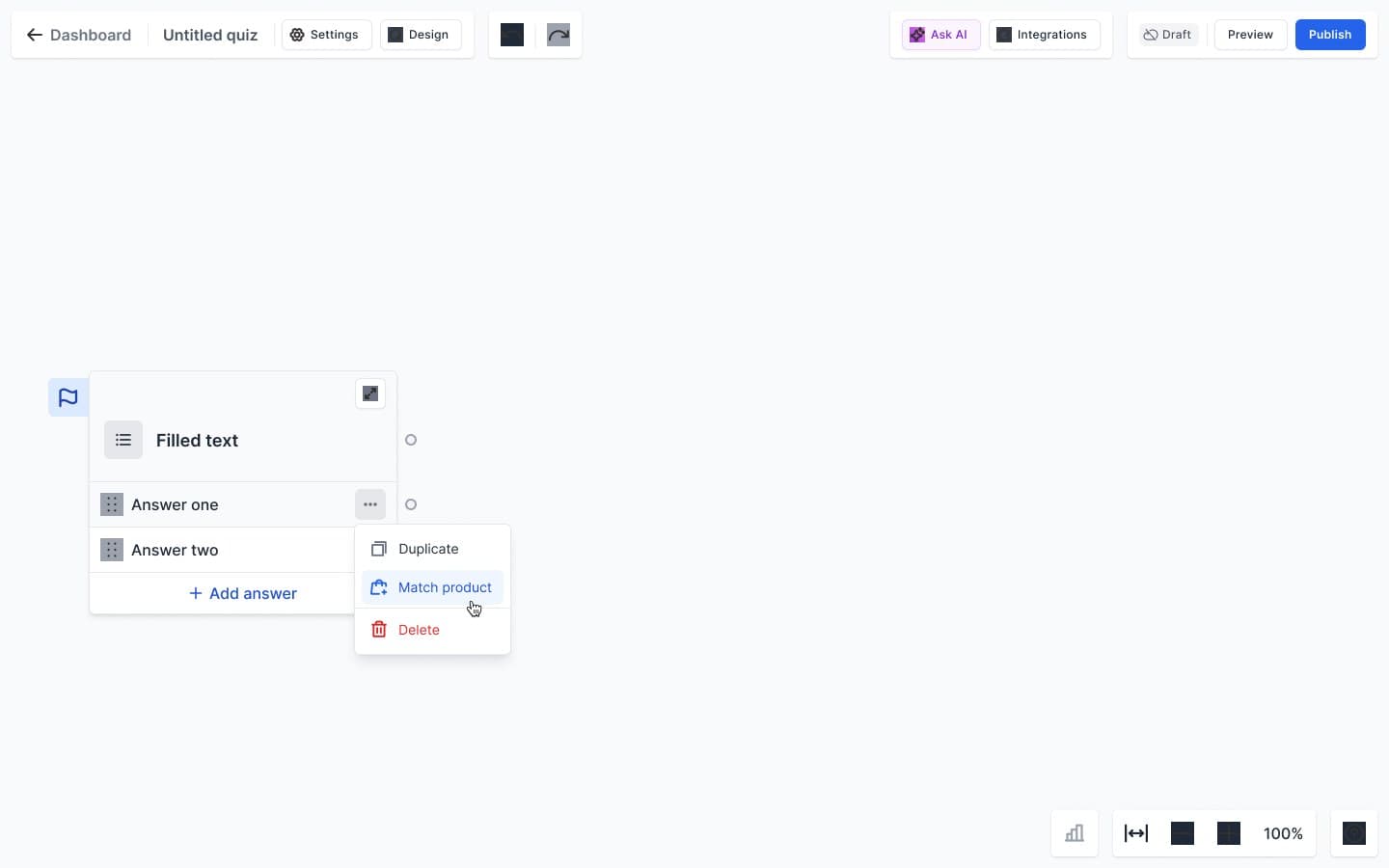
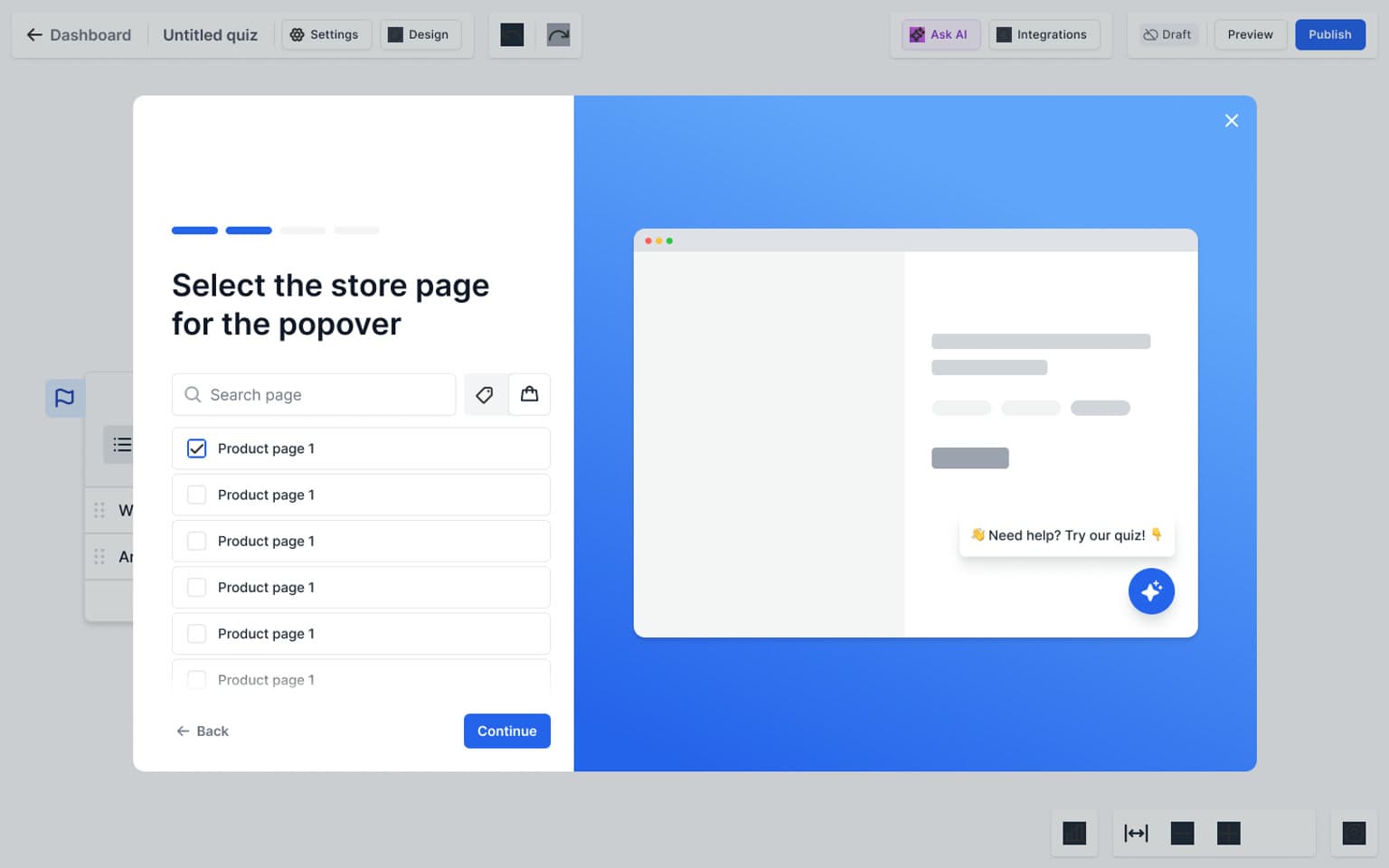
Product matching places a searchable catalogue beside the canvas. Merchants can work with products and variants, use filters, and review their selection before saving. Empty matches and selection-limit feedback are part of the same task, so the interface also needs to explain when a choice cannot continue as expected. Products can also be matched to a single answer from its menu; the matched list sits beside the answer, and in the scoring designs each product takes a score.
Recommendations
Controlling the result of the quiz
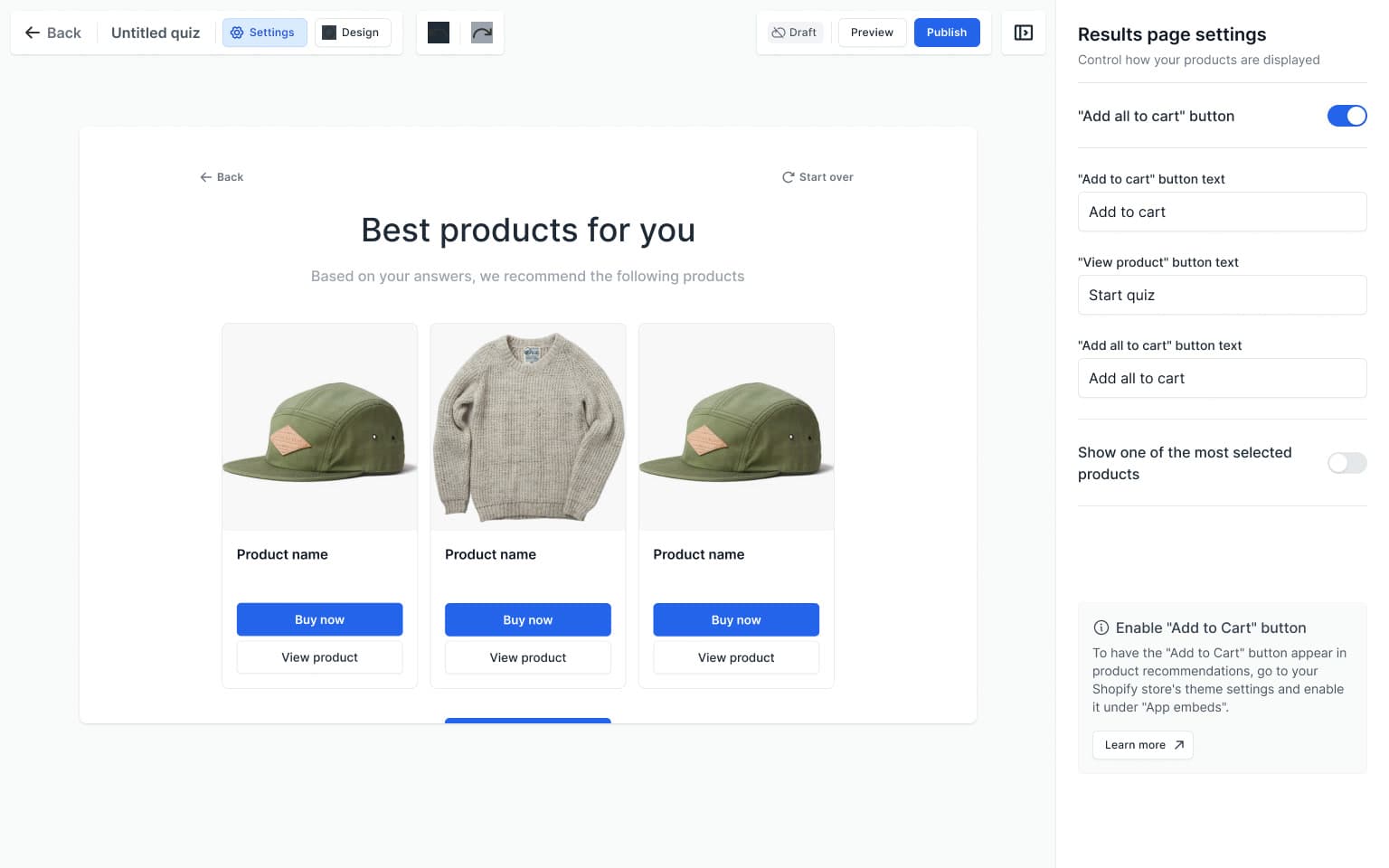
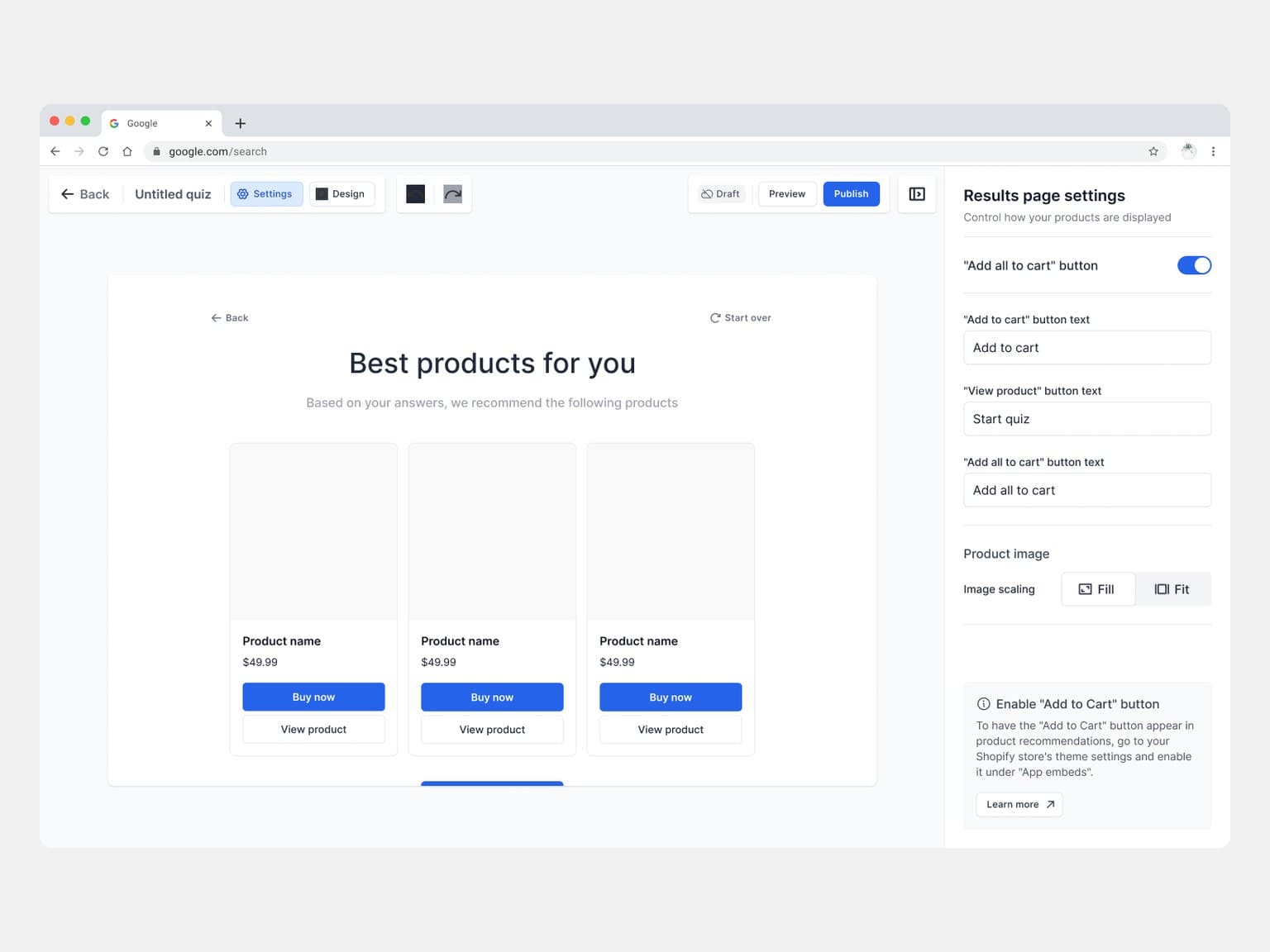
Result settings determine how recommendations are presented, including a single-product layout and a route through multiple result sets. The populated preview connects these settings to the shopper-facing outcome. Separate controls cover result imagery and the labels and actions attached to a product. Global settings, reached from one menu in the builder, hold the start screen's button, the results page's buttons and image scaling, and, for the assistant, product sorting and media.
Result
A recommendation the shopper can act on
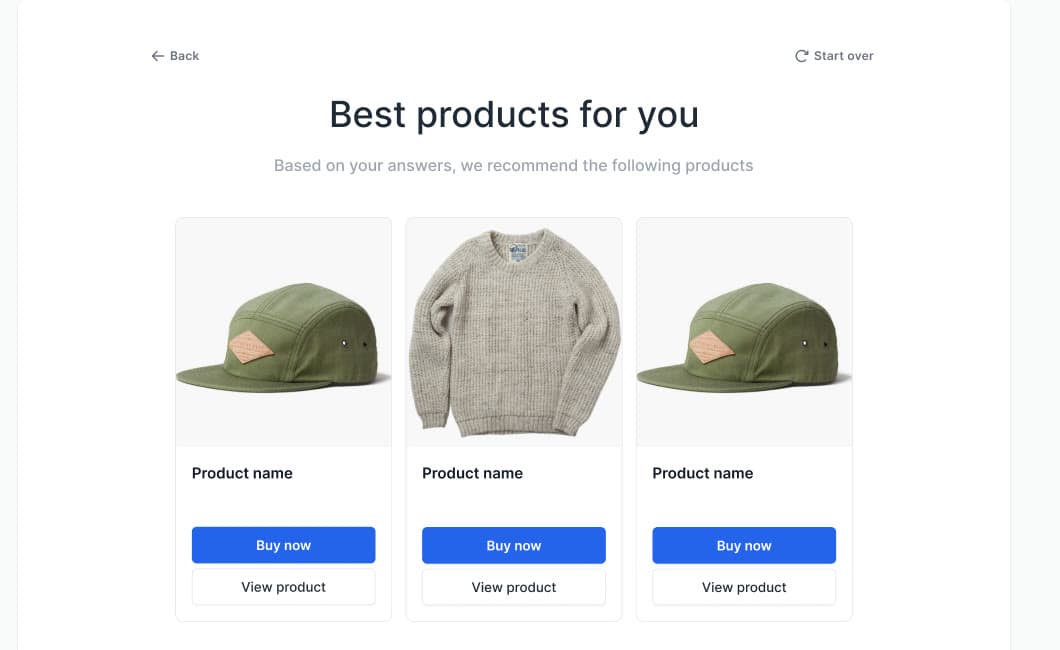
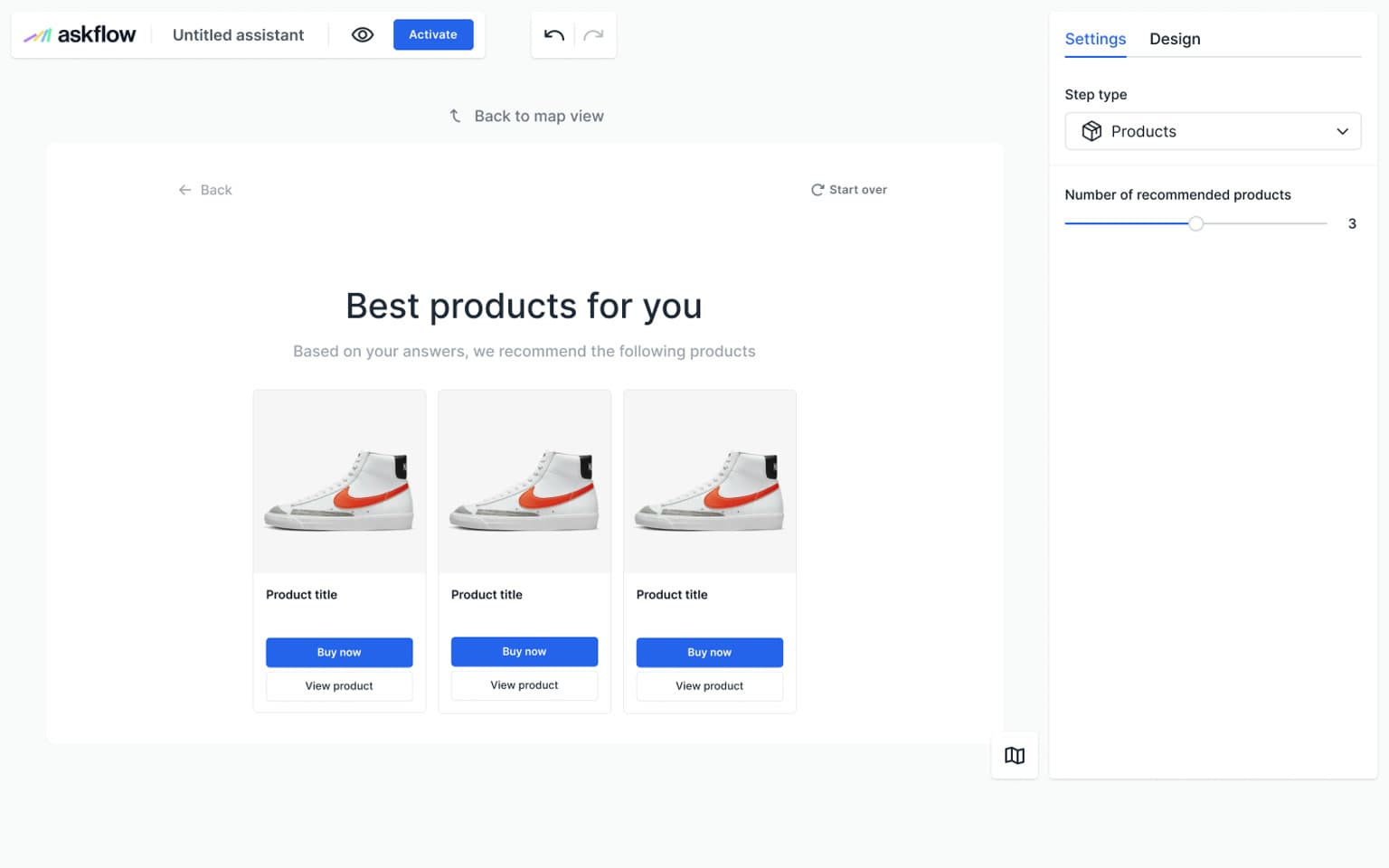
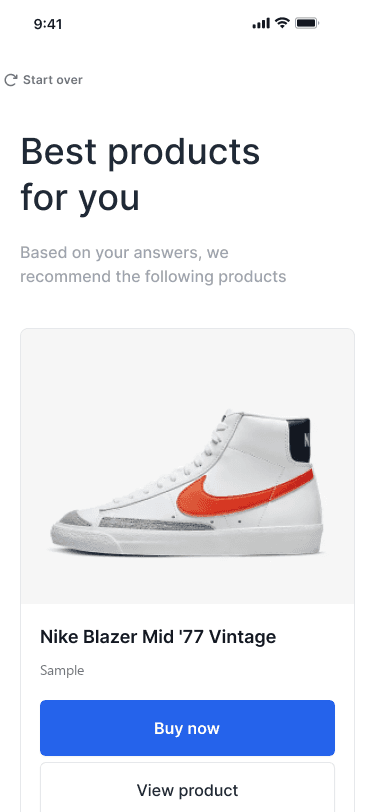
A populated preview shows the relationship between product imagery, the recommendation, and its actions.
Configuration
Decide what the result exposes
Result controls define the available actions and how product imagery is treated.
Appearance
Giving the experience a consistent visual treatment
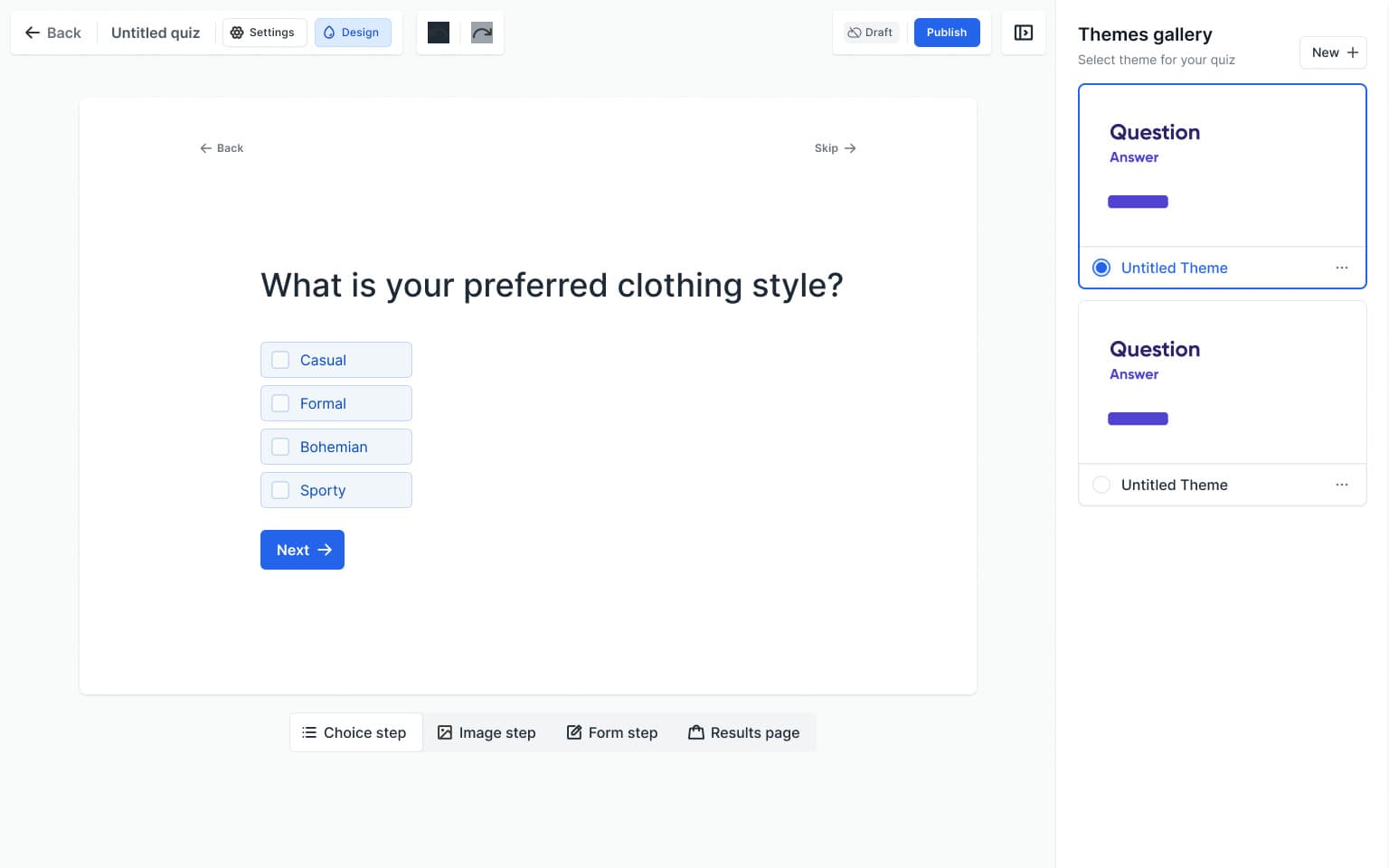
Theme settings sit beside the preview, covering typography, colours, backgrounds, buttons, and step transitions. Merchants can move between step types while working on the shared appearance, then save a theme. A single brand colour drives every answer state: text, backgrounds, borders and fills are that colour at set opacities, so one choice re-tints the whole quiz. The theme examples apply the same system to different type, colour and backgrounds.
Is your hair colour treated in any way?
Shopper
Questions that fit the screen in front of them
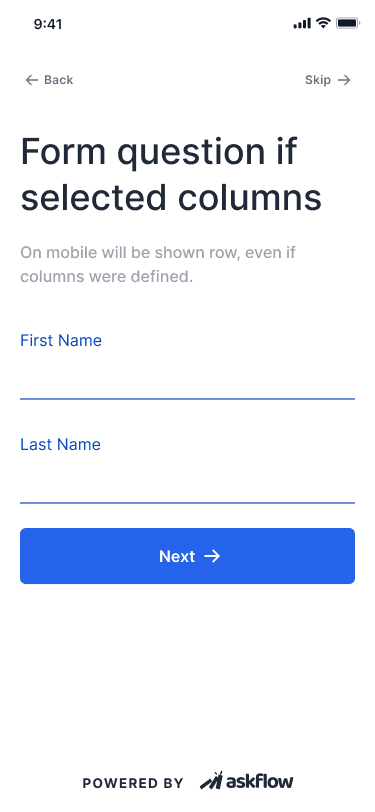
The shopper-facing examples include text choices, image options, phone and date inputs, and mobile forms. Progress, navigation, and the primary action stay close to the current task. Desktop and mobile examples show the range of layouts in the file; their different sample content is presented as examples rather than one continuous quiz.

Cart
Connecting a recommendation to the next action
Result-step settings include the number of recommendations and the actions available on each product. The screen set also contains individual cart actions and an add-all option. The mobile examples show a recommendation and its actions.
Assistant
A second way to guide a shopper
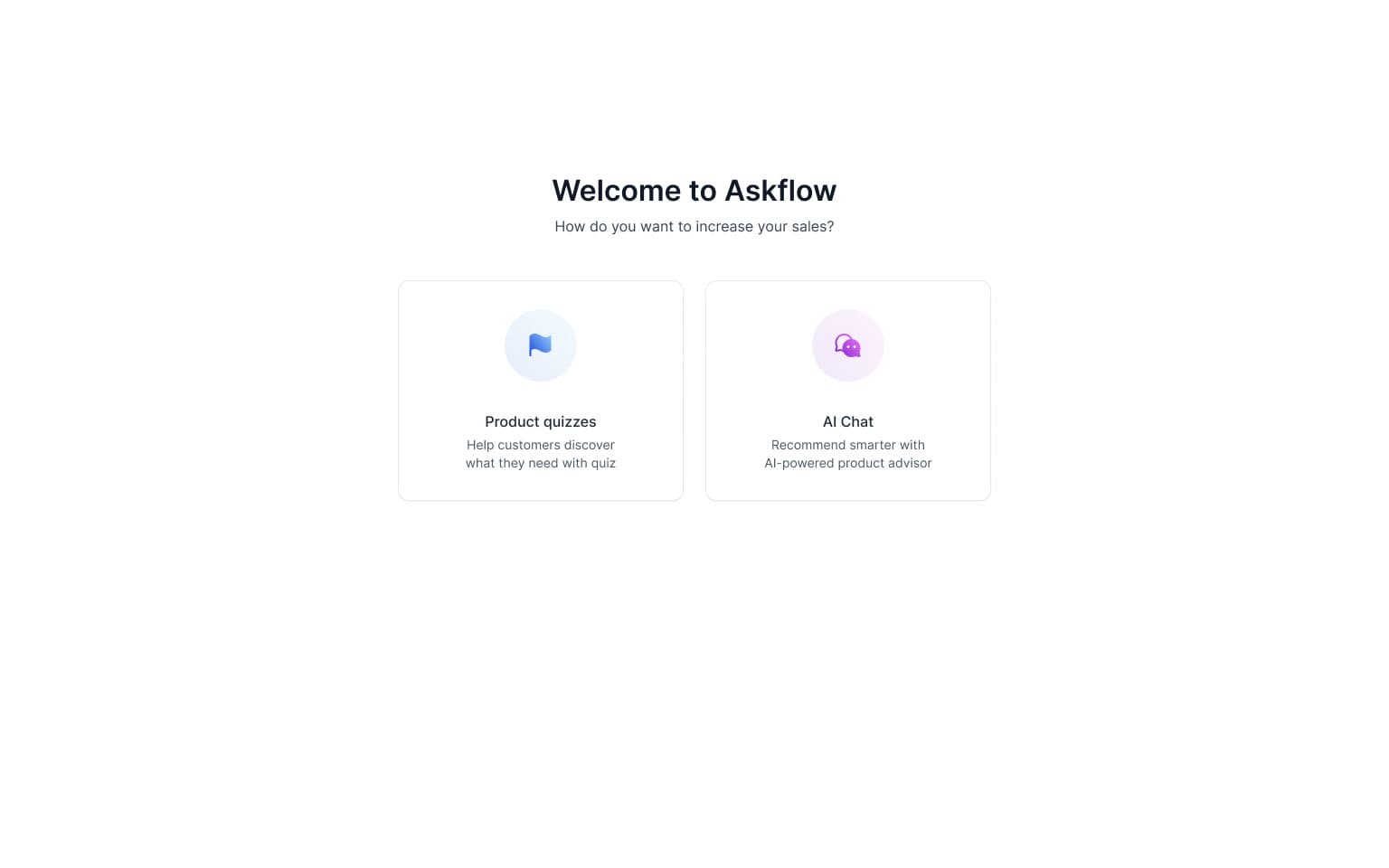
AskFlow also includes a conversational shopping experience. Its setup brings together store context, a greeting, personality, language, and visual settings, with a preview beside the configuration. The file includes multiple design iterations of these tools, showing both assistant behavior settings and its appearance within the store.
Knowledge
Configuring context and reviewing conversations
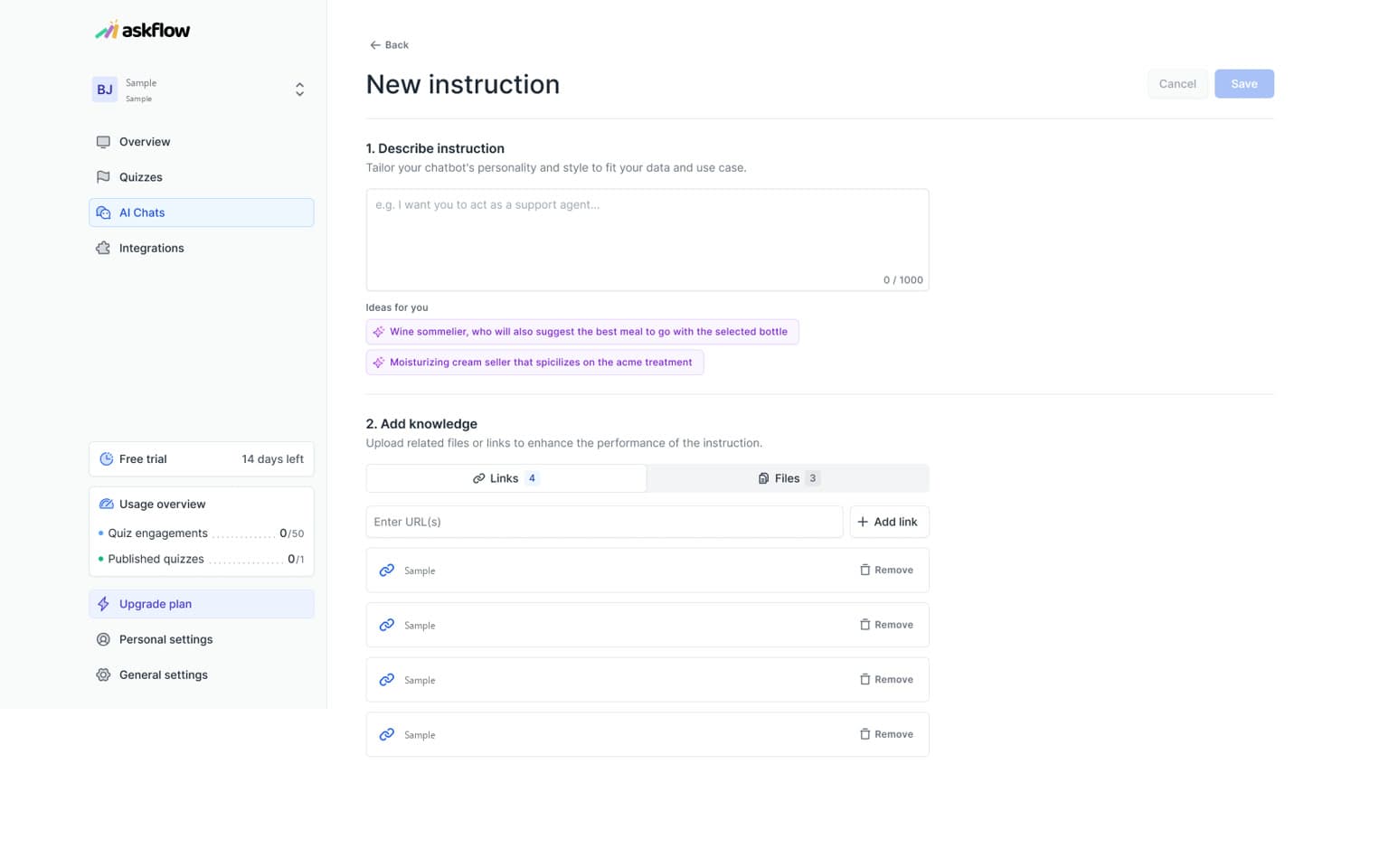
An instruction screen combines a description of the assistant's role with a knowledge area for files and links. Conversation history gives the merchant a separate place to inspect individual exchanges, while embedding settings connect the configured assistant to a store. These views explain the management tools around the chat interface.
Integrations
Connecting the experience to other merchant tools
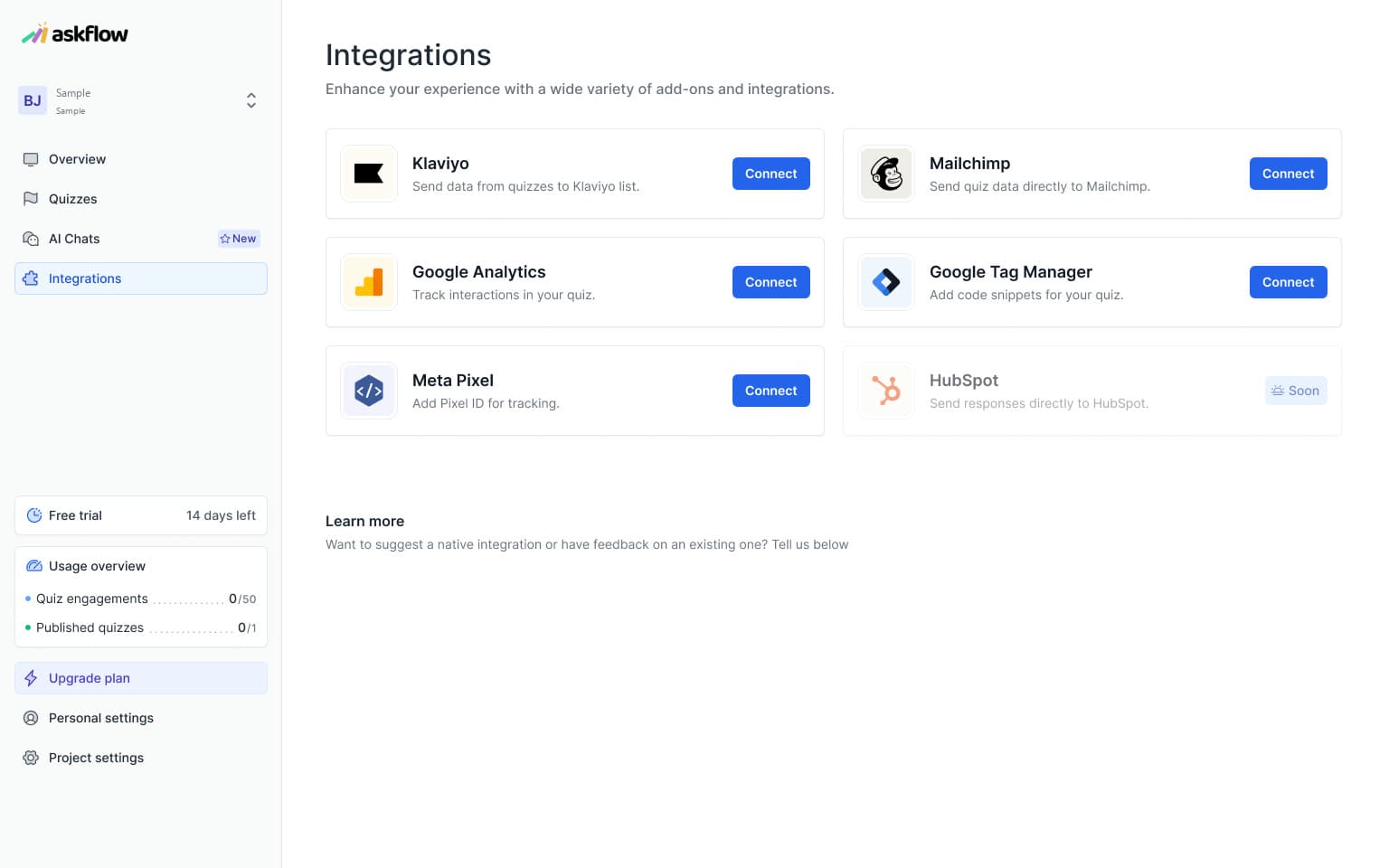
Integrations appear both at workspace level and within a quiz. The designs distinguish connecting a service from configuring its use in a particular experience. A segmentation rule brings together product selection, a destination value, and a trigger condition, linking the quiz's configuration to the merchant's wider workflow.
Publish
Checking the flow before it reaches the store
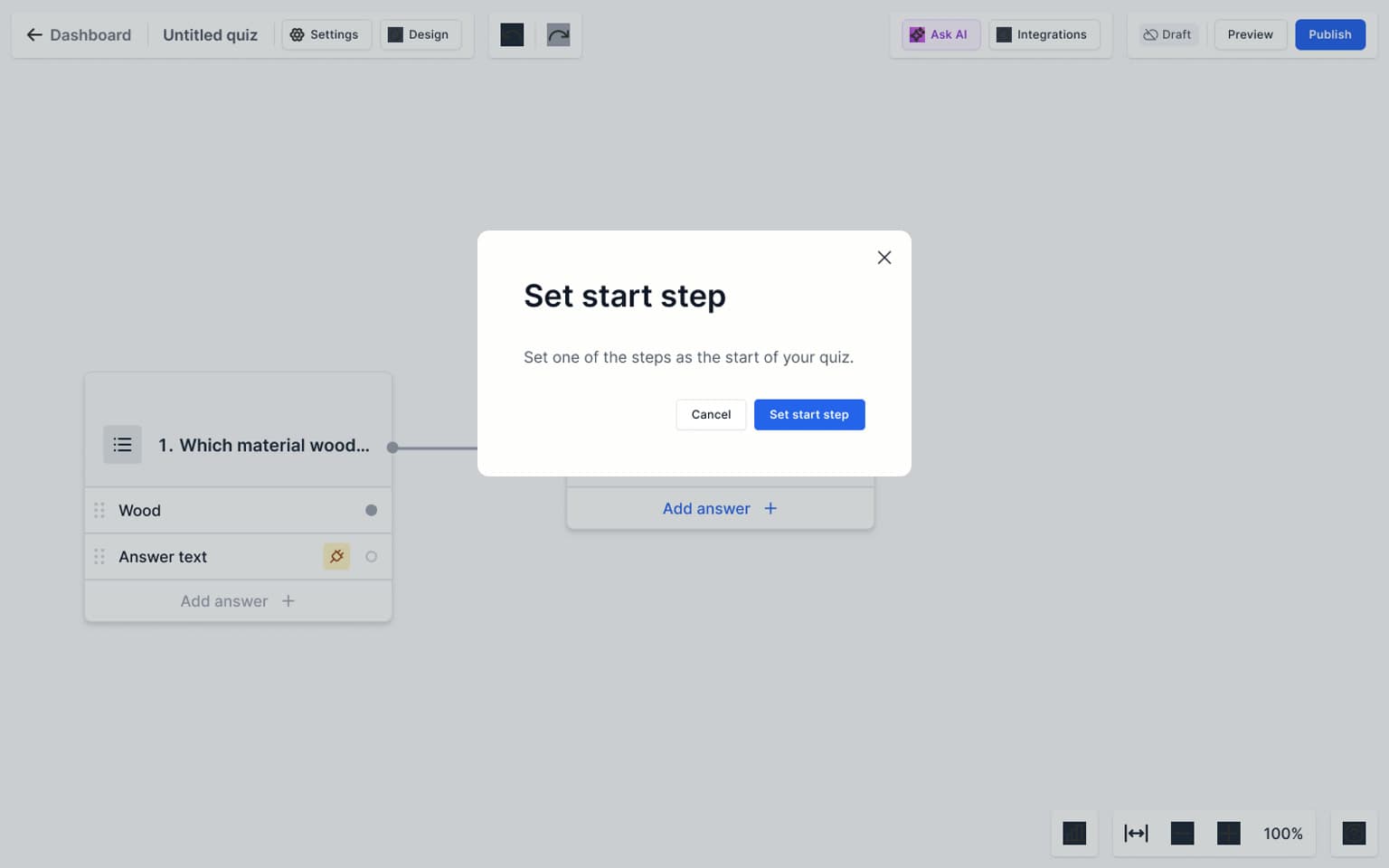
Publishing includes validation for missing structure, such as an unset start step or an empty result. Each example states what is missing and offers a relevant next action. Publishing then opens format-specific configuration rather than one generic finish screen.
Free trial
Two places to offer the trial
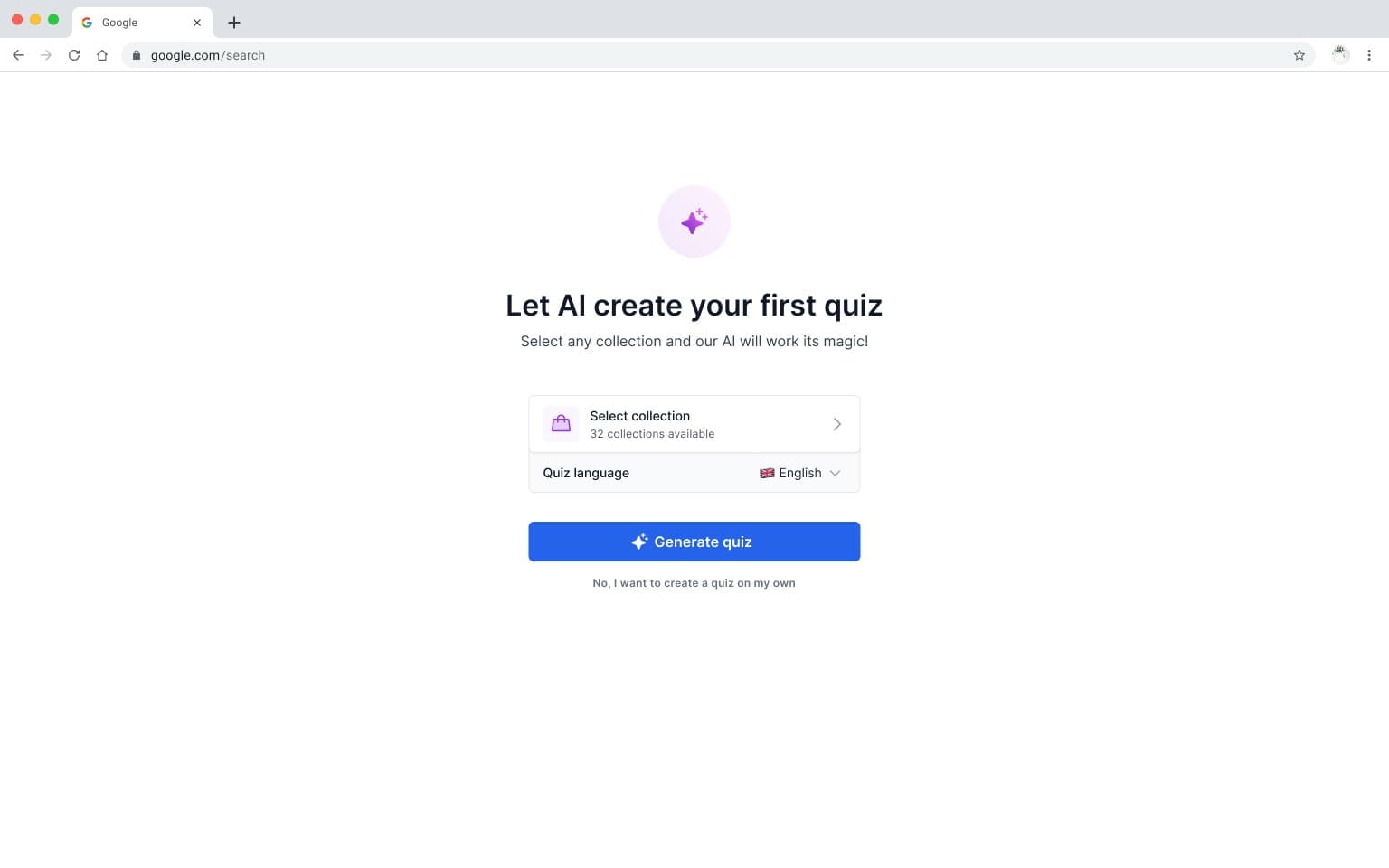
The free-trial designs come in two versions. Version A starts with AI: the merchant generates a first quiz from a collection, then meets the plans. Version B lets them build first and shows the plans at the first publication, followed by the share and embed step. Both versions sit side by side in the design file. Prices are hidden here.
Storefront
Choosing how the experience appears
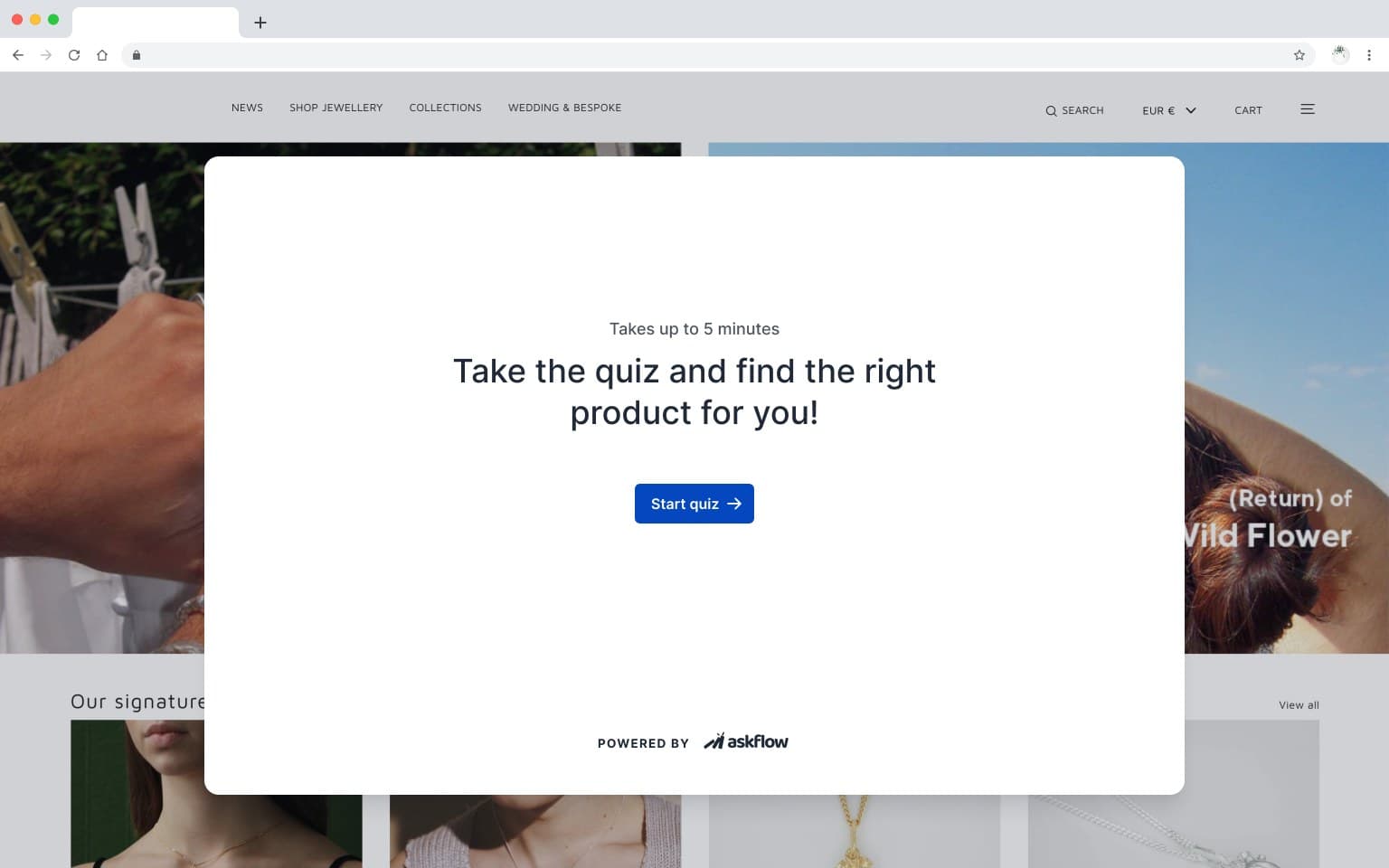
The publishing designs offer iframe, popup, and widget routes. Page placement and customisation settings let the merchant configure how an experience enters the store. Storefront examples show a quiz inside a popup and a widget beside the shopping content; mobile examples show the launcher in a smaller viewport. A full run on a demo store, from the opening screen through a question and image answers to the results, shows the popup at its real size.

Updates
Managing changes after publication
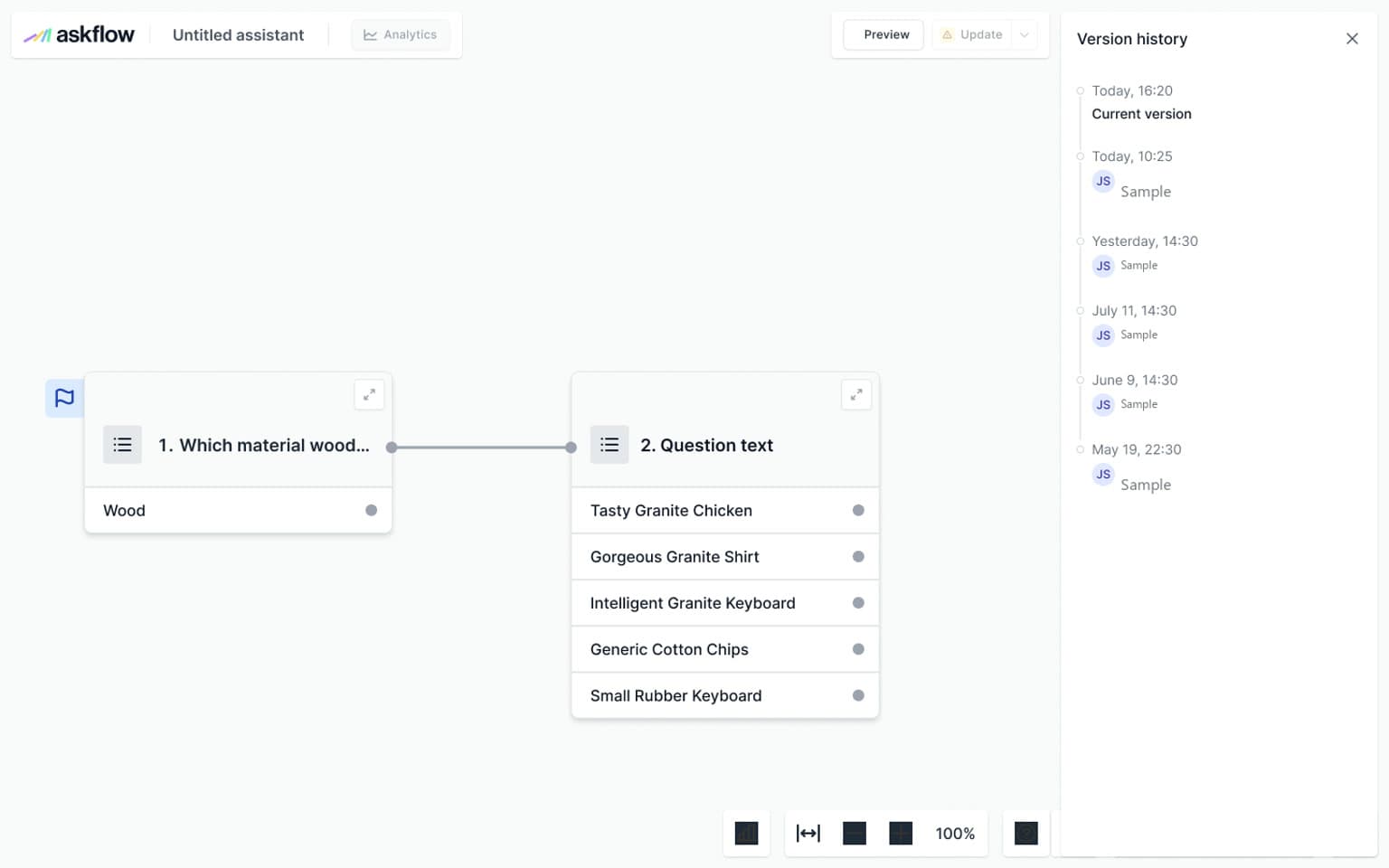
The file includes saving, updating, restoration, and version-history states. These designs distinguish ongoing edits from the published experience and show how a merchant could inspect or return to a previous version. Some controls are marked as planned in the source, so these screens describe the designed workflow rather than establish release status.
Reporting
Looking across quizzes and conversations
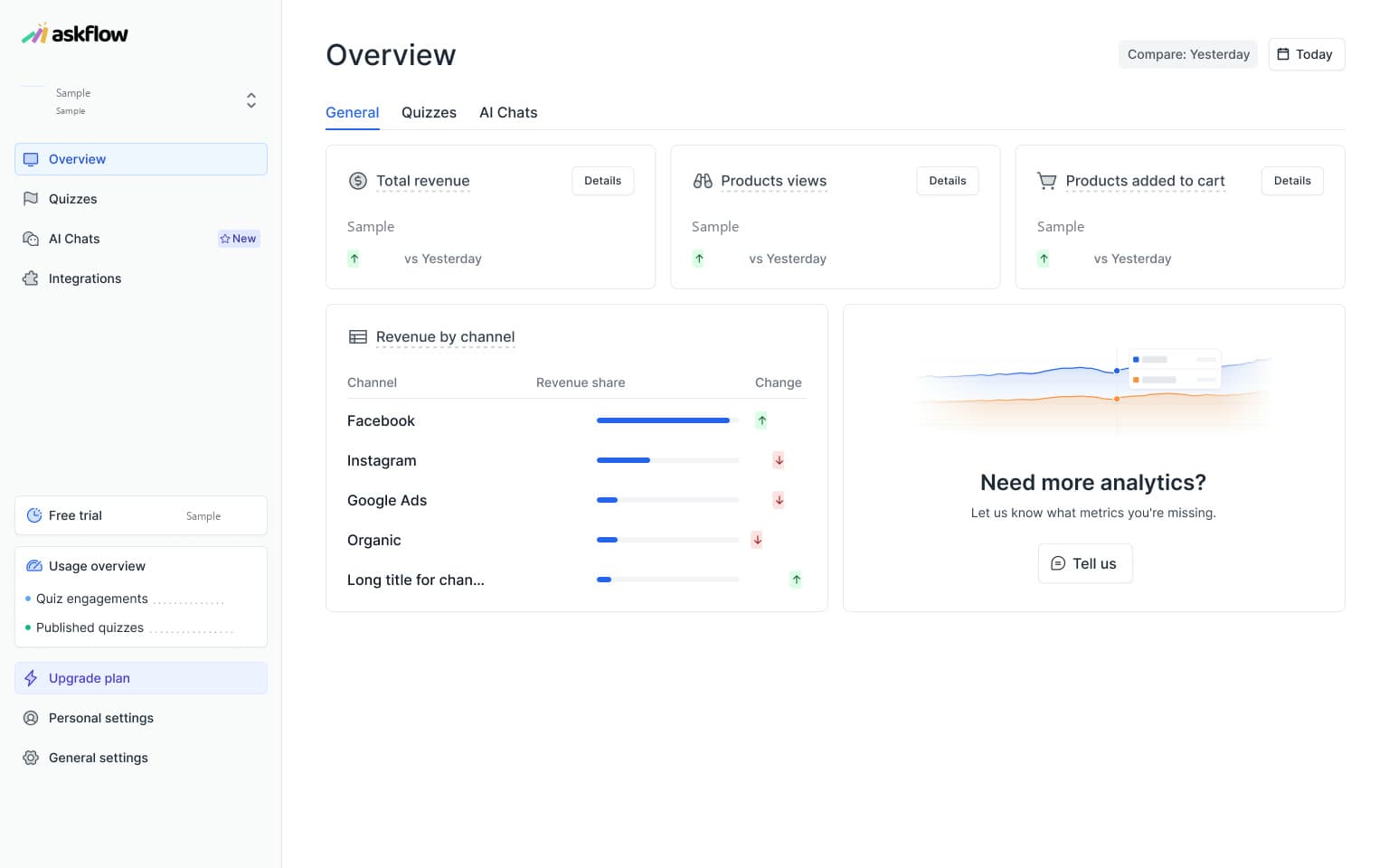
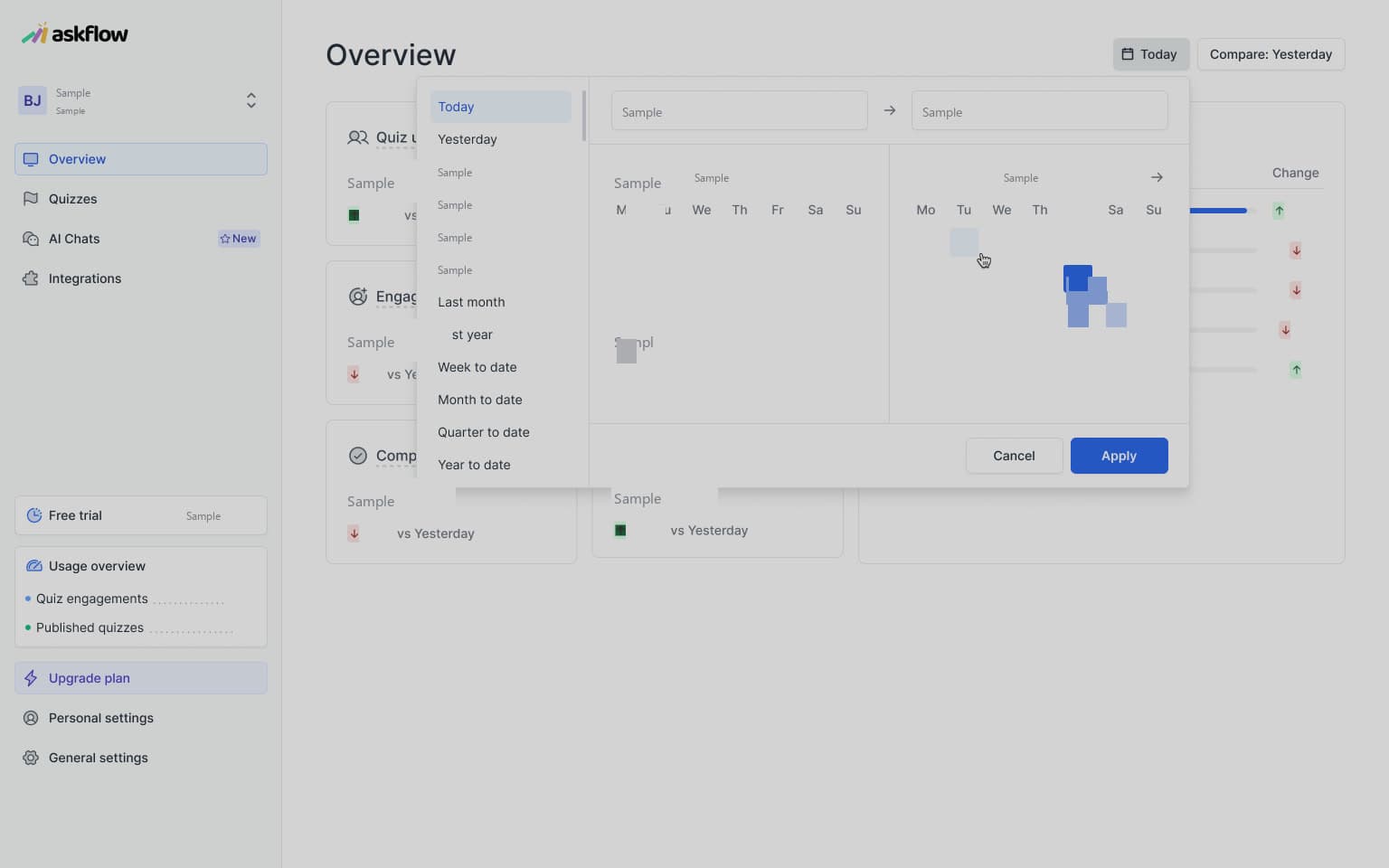
Reporting separates general activity, quizzes, and AI chats, with period selection and comparison controls. An empty overview provides the structure before activity is available. The sample figures are withheld here; the case focuses on what the reporting views organise and how merchants move between them.
Insights
Bringing the report back to the flow
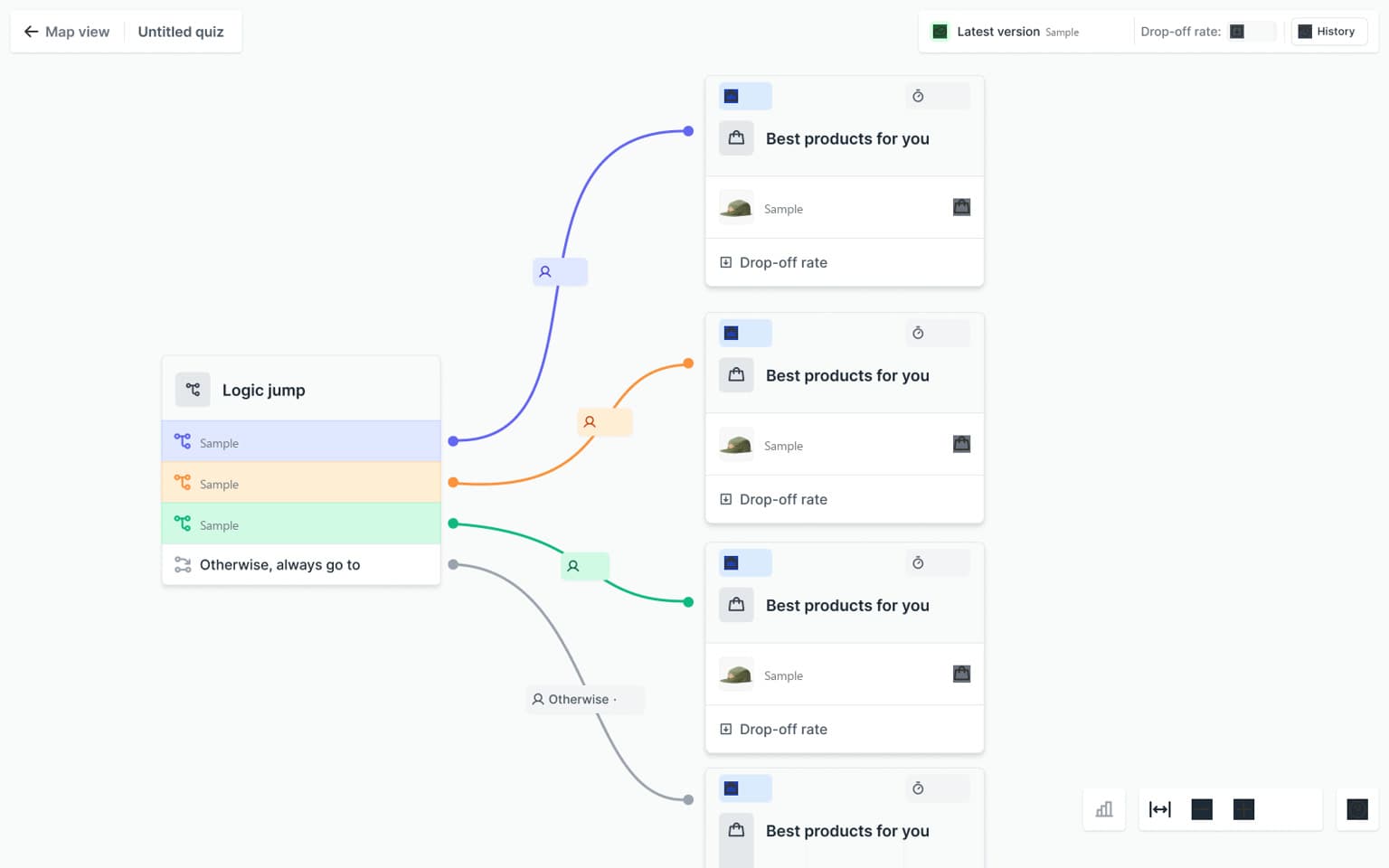
Quiz insights place activity information on the same question-and-answer structure used for building. Answer-level bars, drop-off detail, and version selection connect the report to a specific route through the quiz. Form-response and export views provide another level of inspection for steps that collect input.
Components
A shared language for a complex editor
The supplied UI kit defines the recurring controls behind the experience: buttons, inputs, selection states, question and answer cards, navigation, and feedback. This section lets visitors try a small set of those pieces, connecting the system to the interactions already shown in the product.
Explorations
Ideas beyond the main workflow
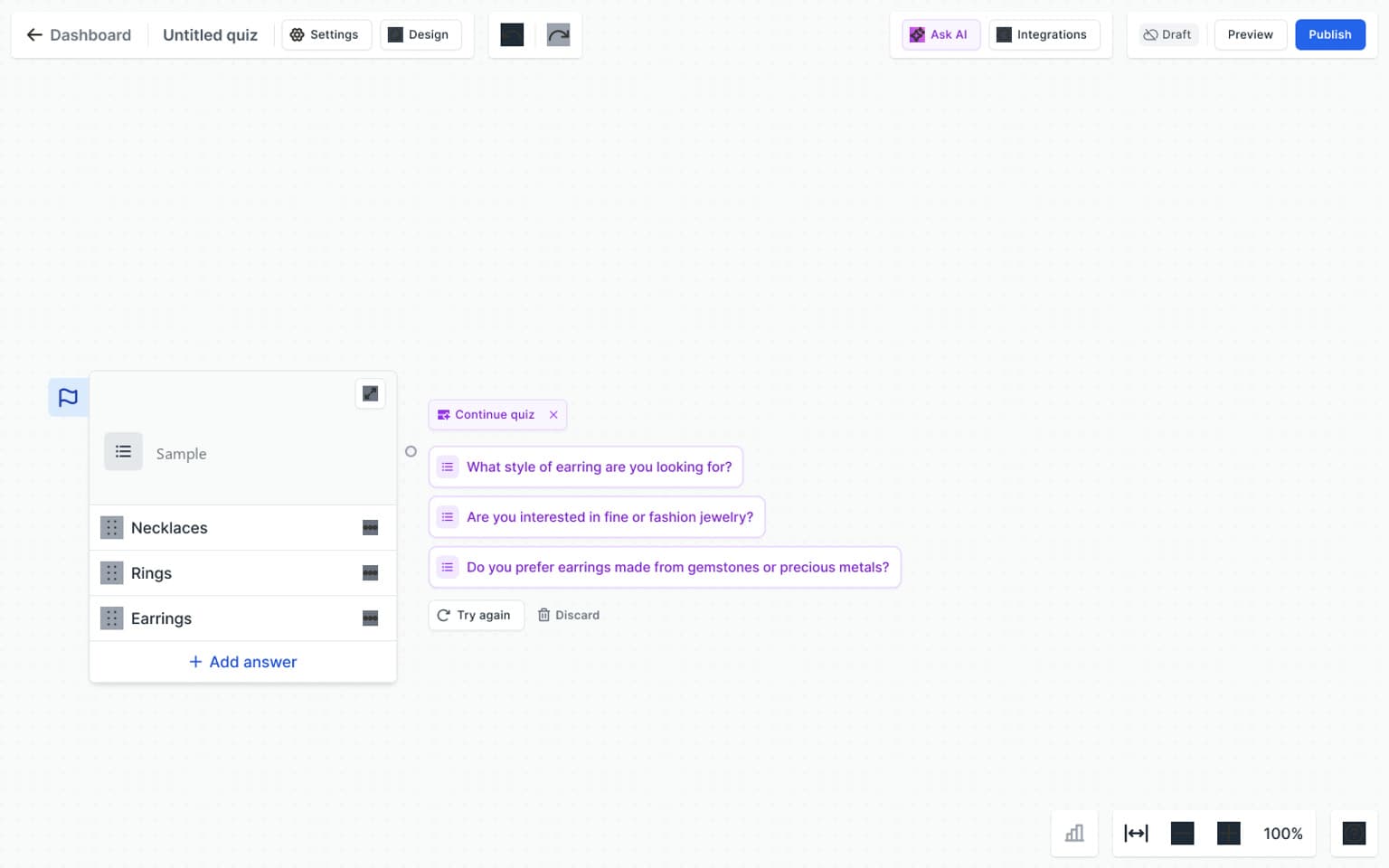
The wider file also contains concepts for AI suggestions alongside a question, statement steps, and variables. They show directions explored around the editor and are presented separately from the main product sequence.
Contribution
Designing within a shared product
My role combined co-designing new app features with designing the marketing website. This case shows that work in its broader product context: the merchant tools, the shopper-facing interaction, the controls around publication, and the views used to review activity.
